
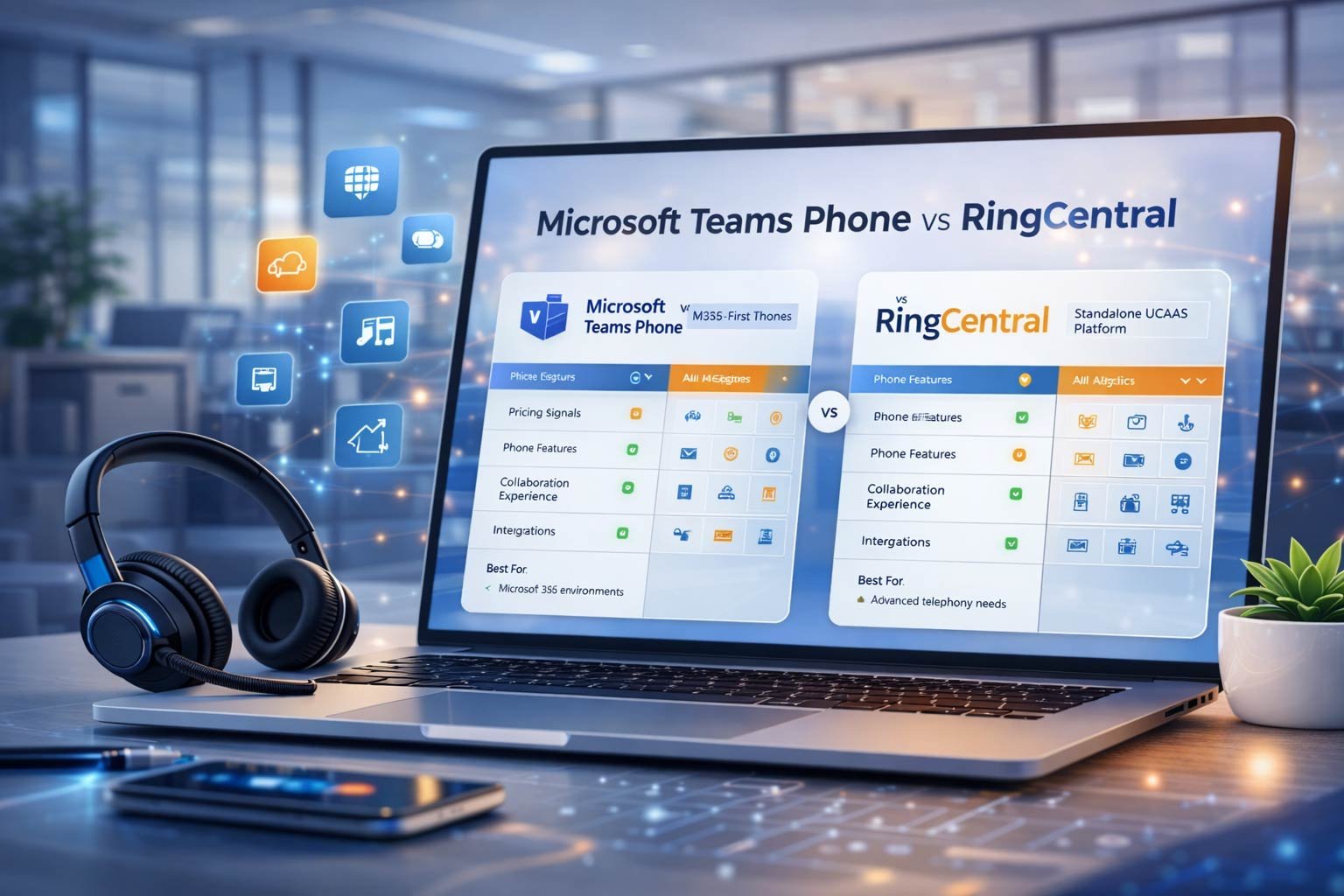
Microsoft Teams Phone vs RingCentral
UK comparison: “M365-first phone” vs “standalone UCaaS phone system”
This matchup is common for UK businesses because Teams is already where collaboration happens, while RingCentral is often viewed as the more complete, standalone phone system. The key is to compare the *operating model*, not just feature lists. Teams Phone typically wins when you are already deep in Microsoft 365 and want calling to feel native inside Teams. RingCentral typically wins when you need a dedicated, mature phone platform with strong call handling and phone features as the primary product. This page keeps the decision objective: pricing/licensing signals, feature winners, collaboration posture, phone-feature depth, and the “best for” scenarios.
Quick outcome
Phone-system winner: RingCentral
(dedicated calling depth).
Best if you already pay for M365: Teams
(native workflow).
Overall: depends on Microsoft 365 usage
and whether telephony is a “core platform” or an “extension of Teams”.
Quick Winner Summary Table
This is the “30-second decision”: RingCentral wins as a standalone phone system; Teams wins when your organisation is already M365-first and wants calling to live inside Teams. Use the winner breakdown to map to your real scenario.
| Decision category | Winner | Why it wins (UK buyer lens) |
|---|---|---|
| Overall for UK businesses | Depends | If your organisation is already standardised on Microsoft 365 and Teams, Teams Phone can be the cleanest path. If telephony is a core platform with complex call handling, RingCentral tends to be stronger. |
| Best “phone system” depth | RingCentral | RingCentral is designed as a dedicated phone/UCaaS platform. It typically wins when your business needs advanced call handling, reception workflows, queue management, and phone-specific admin controls as a first-class product. |
| Best if you already use M365 | Teams | Teams Phone wins when your teams live in Teams all day and you want calling to feel native. The operational advantage is workflow simplicity: fewer apps, fewer places to train users, and tighter alignment with M365 identity and policies. |
| Standalone (non-M365-first) | RingCentral | If you’re not deeply M365-first, Teams Phone can add complexity (licensing paths + configuration choices). RingCentral is typically more straightforward as an all-in-one UCaaS calling solution. |
| Phone features (queues, IVR, routing) | RingCentral | RingCentral tends to win when phone features are the deciding factor: reception coverage, IVR depth, queue behaviour, multi-site routing, and “missed call protection” features that directly impact customer experience. |
| Collaboration (chat/meetings) | Teams | Teams is the collaboration hub for many UK organisations using Microsoft 365. If your collaboration workflow is already Teams-native, Teams will feel more cohesive for staff adoption and daily productivity. |
Ask two questions: (1) Are we already Microsoft 365 + Teams standardised? If yes, Teams Phone becomes a strong default. (2) Do we run complex inbound call handling? If yes—reception, queues, and high call volume—RingCentral is usually the safer choice.
Teams Phone is the cleanest workflow
If Teams is already your daily workspace, Teams Phone reduces friction: users call from the same place they chat and meet. The real advantage is consistency: identity, policies, and collaboration remain in one ecosystem.
RingCentral is the safer phone platform
If telephony drives customer experience—high inbound volume, complex routing, multiple departments, strict queue KPIs—RingCentral is typically easier to run as a dedicated phone system.
Pricing / Licensing Comparison
This comparison matters because Teams Phone pricing is often tied to Microsoft 365 licensing choices, while RingCentral is typically a standalone UCaaS subscription. The correct choice depends on what you already pay for and how you want telephony managed.
Pricing signals (and what they miss)
In your brief, Teams Phone starts from £6 + Microsoft 365 and RingCentral starts from £12.99. These are pricing signals—not the full picture. Teams Phone totals are shaped by your M365 licensing position and calling model choices, while RingCentral totals are shaped by the plan tier, add-ons, and how your call flows and reporting requirements evolve after go-live.
| Cost driver | Teams Phone | RingCentral | UK buyer guidance |
|---|---|---|---|
| Entry pricing signal | From £6 + M365 (signal) | From £12.99 (signal) | Use signals for early filtering; price your Day 90 configuration for accuracy. |
| Licensing complexity | Can be more complex due to M365 licensing position + calling enablement choices. | Typically simpler as a standalone UCaaS subscription model. | If you want simplicity, RingCentral often feels more straightforward. |
| Value driver | Native workflow inside Teams; strong when you already use Teams as your daily hub. | Phone-system depth; strong when calling is the primary platform requirement. | Pick the value driver that matches your real business outcome. |
| Scaling seats | Scaling aligns with your M365 user model; validate role-based needs (frontline vs office). | Scaling aligns with plan tier and calling needs; validate which roles need advanced features. | Define seat mix early: not everyone needs the same calling capability. |
| Change costs | Validate admin overhead for routing, policies, and reporting as complexity grows. | Validate add-ons and plan tier upgrades for advanced call handling. | Ask “what becomes non-negotiable after go-live?” and price that. |
If you are already paying for Microsoft 365, Teams Phone can reduce the number of systems users touch daily—this can be a real operational win. But if your phone environment is complex (reception + queues + high inbound volume), RingCentral can reduce operational risk because it is built as a dedicated phone platform.
Price your Day 90 setup
List the features you will actually use after go-live (queues, reporting, recordings, integrations) and price *that* configuration.
Feature-By-Feature Comparison
This table compares “what matters day-to-day” for UK teams: core calling, admin governance, reporting, integrations, device readiness, and how well the platform supports reception/department workflows at scale.
| Category | Teams Phone | RingCentral | Winner + how to validate |
|---|---|---|---|
| 1) Core calling & routing | Strong when calling is a native extension of Teams workflows; validate your exact call flow complexity. | Strong calling platform posture; typically better for complex routing and high inbound operations. | RingCentral Validate IVR depth, queue behaviour, overflow, multi-site routing. |
| 2) M365 identity & policy fit | Best when you want calling aligned to Microsoft identity, collaboration, and policy posture. | Integrates well with ecosystems; not inherently “M365-native” in the same way. | Teams Validate user lifecycle: provisioning, policy, compliance, and admin roles. |
| 3) Admin governance | Best when M365 governance is already mature; validate change control ownership across IT and ops. | Strong phone-admin posture; validate how admins manage changes and visibility into configurations. | Depends If your IT is M365-mature: Teams; if telephony ops needs dedicated tooling: RingCentral. |
| 4) Reporting & analytics | Works well; validate required call reporting and how supervisors access insights day-to-day. | Often stronger phone-system reporting posture for queues and operational insight. | RingCentral Validate the top reports: missed calls, queue stats, exports, supervisor actions. |
| 5) Integrations ecosystem | Best when your stack is Microsoft-first and collaboration/information flows live inside M365. | Often strong across broader UCaaS integrations; validate your CRM and ticketing workflows. | Depends Microsoft-first: Teams. Mixed stack / UCaaS-first: RingCentral. |
| 6) User adoption | High adoption when Teams is already “where work happens”; fewer apps and less training friction. | High adoption when the phone app is the primary tool and the organisation is phone-system-led. | Depends Test with a pilot group: sales, ops, reception, and managers. |
Teams wins where the collaboration workflow is the product (Teams-first), RingCentral wins where telephony is the product (phone-first). You reduce risk by validating the “edge cases”: reception coverage, queue overflow rules, reporting requirements, and how quickly changes can be made without breaking operations.
Collaboration Comparison
Collaboration is where Teams is naturally advantaged for many UK businesses—because Teams is already the collaboration surface. This section makes it explicit: how much value you get from “one workspace” versus “best-in-class phone platform”.
Collaboration posture
If your teams already chat, meet, share files, and collaborate inside Microsoft 365, then Teams Phone can reduce friction by keeping calling inside the same environment. The collaboration value isn’t “more features”—it’s fewer context switches and clearer adoption. RingCentral can still support collaboration well, but it typically doesn’t replace the M365 collaboration layer when your organisation is already standardised on it.
UK adoption tip
In most UK SMEs, the fastest path to value is reducing tools and training complexity. If Teams is already embedded, Teams Phone can produce faster adoption with less “change fatigue”.
| Collaboration dimension | Teams Phone | RingCentral | Winner + validation |
|---|---|---|---|
| “One workspace” experience | Calling inside Teams supports a single daily workspace. | Strong platform experience but often becomes an additional tool if Teams is already dominant. | Teams Validate user journeys (call + chat + meeting) in one flow. |
| User adoption speed | Often faster when Teams is already standardised across the business. | Fast if you deploy RingCentral as the primary phone app and standardise on it. | Depends Depends on whether Teams is already “the way you work”. |
| Operational collaboration | Strong when collaboration policies and access are already managed through M365. | Strong; validate how collaboration aligns with your existing identity and governance. | Teams M365-first organisations typically benefit most. |
| Best for phone-first organisations | Can work; but may feel like “adding calling to Teams” rather than “phone platform”. | Often strongest when calling is the primary platform and collaboration is adjacent. | RingCentral Validate phone workflows for reception/queues. |
If Teams is already a daily dependency, Teams Phone is usually the most cohesive experience. If your organisation defines success as “best phone system outcomes” more than “single workspace”, RingCentral can still be the better option.
Phone Features Comparison
This is where RingCentral usually wins: phone-specific depth for reception and service operations. If your business measures success in call answering rates, queue performance, and routing reliability, treat this section as the core of the decision.
| Phone feature area | Teams Phone | RingCentral | Winner + how to validate |
|---|---|---|---|
| Reception coverage | Can support reception patterns; validate how you handle coverage, busy periods, and exceptions. | Often stronger for reception workflows and call handling patterns at scale. | RingCentral Test receptionist workflow end-to-end. |
| Queues & IVR depth | Works; validate queue behaviour and how routing changes are managed. | Typically stronger depth and flexibility for queues, IVR, and advanced routing. | RingCentral Validate overflow rules and missed-call protection. |
| Routing governance | Best when your governance is M365-first and IT manages policies consistently. | Strong phone-admin posture; validate auditability and rollback controls. | Depends M365-mature: Teams; phone-ops mature: RingCentral. |
| Supervisor operations | Validate supervisor visibility and how quickly they can act on queue pressure. | Often stronger for supervisors managing live calling operations. | RingCentral Validate dashboards, alerts, and exports. |
| Business continuity | Validate how you handle failover routing and what happens during outages or policy changes. | Validate continuity posture; often clearer phone-platform continuity features. | Tie Continuity depends on your design and governance. |
| Phone-first experience | Calling inside Teams is excellent when Teams is the daily hub. | Phone-first experience is the primary product focus. | RingCentral Choose based on whether calling is the primary system. |
RingCentral is the safer choice when your inbound call environment is complex or high volume. Teams Phone is a strong choice when the goal is “calling inside Teams” and your call handling requirements are moderate and well-defined.

Best for phone-heavy operations
Recommendation: RingCentral
If your business runs reception coverage, queues, departments, and high inbound volumes, RingCentral is typically the safer phone platform. The win is operational: fewer edge cases, clearer call handling control, and better phone-first tooling.
Test your real call flow
Run a demo using your real numbers, IVR wording, queue patterns, and out-of-hours rules—then measure admin effort and supervisor visibility.
Best For Each Provider
Use these recommendations to map Teams Phone and RingCentral to real UK operating models—based on whether you are M365-first or phone-first.
Teams Phone
Teams Phone is best when your organisation is already Microsoft 365 + Teams standardised and you want calling to feel native. It’s the strongest choice when you want a single workspace for staff, and telephony is an extension of your collaboration environment rather than a standalone platform.
Validate
Confirm your call handling complexity (reception/queues/out-of-hours), reporting needs, and who will manage routing changes. If you have heavy inbound operations, compare phone-feature depth carefully.
RingCentral
RingCentral is best when you want a dedicated phone platform with mature call handling, and when telephony is operationally critical. It suits phone-heavy environments where queues, reception workflows, and phone administration must be robust and predictable.
Validate
Confirm the phone features you actually need (queues, IVR, reporting, supervisor tools), any add-ons, and the operational model for managing changes. If you are M365-first, validate how staff experience fits alongside Teams collaboration.
Shortlist by workflow
If you’re unsure these are your final two, use the quiz to shortlist based on your call flows, team size, and operational constraints.
Final Verdict
The right answer depends on whether calling is primarily a Teams extension or a standalone phone platform requirement. Use the verdict below to choose confidently based on your operating model and risk tolerance.
You are already Microsoft 365 + Teams standardised
Choose Teams Phone when Teams is already the daily hub and you want calling to feel native. This is usually the fastest route to adoption with minimal user friction. It’s the best fit when telephony is important—but not so complex that you need a dedicated phone platform to manage it.
You need a dedicated phone platform with phone-feature depth
Choose RingCentral when telephony is mission-critical and you need robust call handling, queue management, reception workflows, and phone-first admin tooling. It’s the safer option for phone-heavy UK businesses where call answering performance is a KPI, not a convenience.
Before deciding: (1) document your real call flows (IVR, queues, overflow, out-of-hours), (2) list the top 10 reports you need (missed calls, queue stats, exports), (3) confirm who will manage changes and how quickly, (4) run a pilot with reception + supervisors + mobile users, and (5) price the Day 90 configuration (licences + add-ons + support).
FAQs
Fast answers to the questions UK buyers ask when deciding between Teams Phone and RingCentral.
Shortlist by operating model
If you’re M365-first, Teams Phone can be the cleanest workflow. If telephony is mission-critical, RingCentral is often safer. Use the tools to validate fit and total cost.