
Skip to content
CompareVoIPService logo for UK business VoIP comparison platform
  • Home
  • About
  • Contact
  • Best VoIP Providers
  • Resources
Get Started
CompareVoIPService logo for UK business VoIP comparison platform
CompareVoIPService

bOnline Review (UK) (2026)

UK-Built, Quick To Deploy, Strong SME Support—Best For 1–20 Users

bOnline is commonly shortlisted by small UK businesses that want a straightforward VoIP setup without enterprise complexity. This review focuses on what matters for SME buyers: pricing clarity, setup speed, day-to-day usability, and the quality of UK support. If you need deep contact centre tooling or very large integration ecosystems, you may outgrow it—otherwise it’s one of the cleanest routes to a modern phone system quickly.
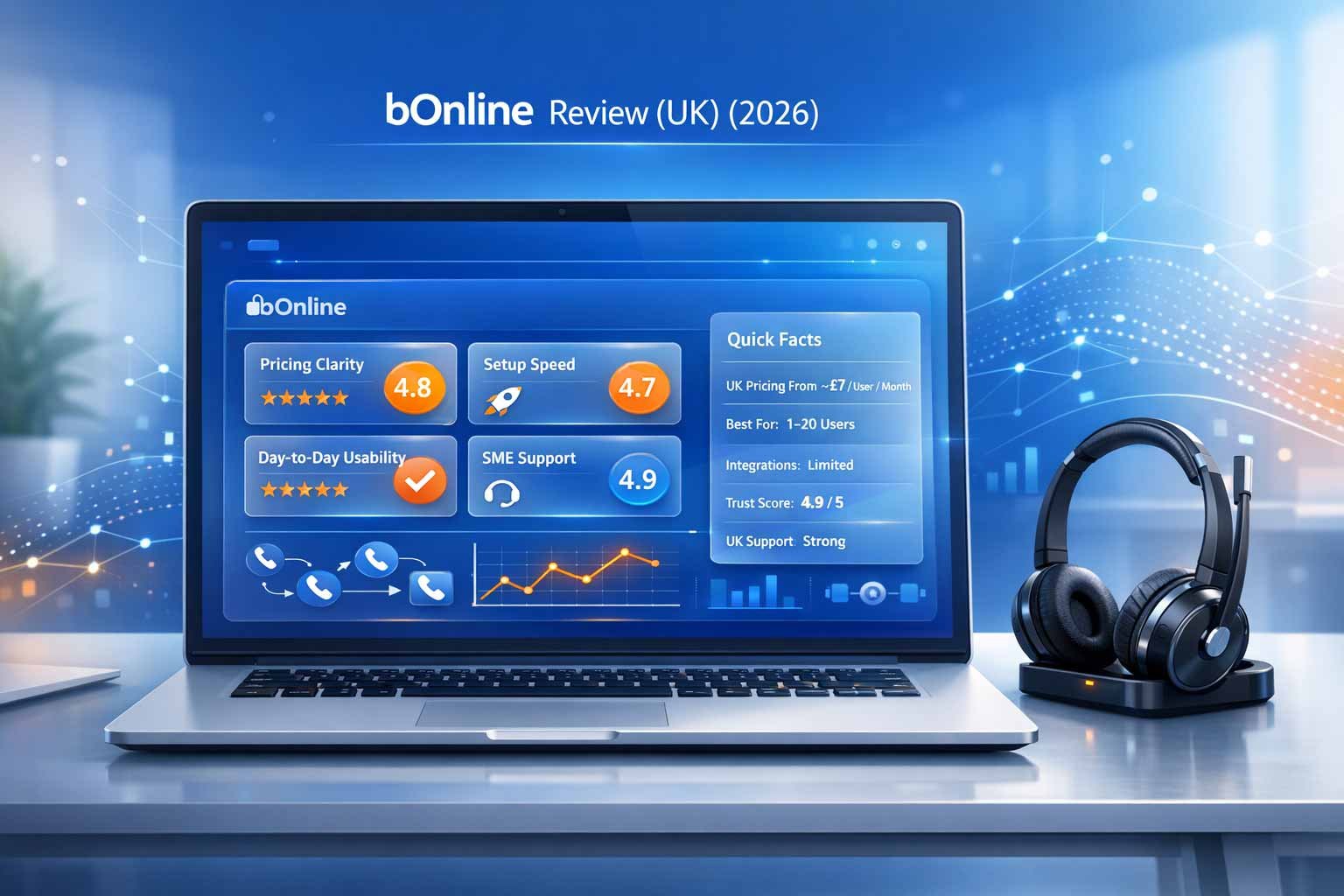
  • UK Pricing From: ~£7/User/Month
  • Best For: 1–20 Users
  • Integrations: Limited
  • Trustpilot: 4.9/5
  • UK Support: UK Hours (Strong)
VoIP provider comparisonsBest VoIP providers in the UKBrowse all reviewsVoIP savings calculatorHow we rank providersAffiliate disclosure
Comprehensive review of bOnline VoIP for UK small businesses, highlighting the £7 starting price, 4.9 Trustpilot rating, and 24-hour setup.

Buyer shortcut

If your goal is “get a reliable VoIP system live fast”, bOnline is strongest when your call flows are simple and your team is under 20 users.

OverviewPricing tableFeaturesPros & consSupportSecurity baselineIntegrationsWho it’s forAlternativesFAQVerdict

Overview

What bOnline does well for UK SMEs, where it can feel limited, and the simplest way to validate fit before committing.

What bOnline Is Known For

bOnline is positioned for UK small businesses that want a clean VoIP setup without spending weeks on configuration. The value is mainly in its simplicity: straightforward calling, easy onboarding, and support that tends to feel “SME-friendly”.

  • Fast setup for small teams with straightforward call flows
  • Strong SME support experience (UK hours)
  • Affordable entry point for modern VoIP
  • Practical features for everyday calling
  • Good fit for startups and local service businesses
VoIP recommendation quizCompare providers
Sleek laptop with a wireless headset in a bright, modern office setting.

Key Takeaway

bOnline is most compelling when your goal is quick adoption and a clean SME setup—without enterprise complexity.

SME speed
Sleek laptop with a wireless headset in a bright, modern office setting.

Common Buyer Trap

Buying it for advanced enterprise use cases. If you need deep integrations or complex routing, validate limits early.

Scope fit

What to validate early

Inbound call flow (IVR/queues/overflow), mobile app usability, admin controls, and how support handles changes after go-live.

Best way to trial

Start with one number and one department, test call handling for a week, then port main numbers once workflows are confirmed.

Pricing Signals (UK Buyer View)

bOnline is designed to be affordable for SMEs. The main pricing risk is not the per-user price—it’s buying the wrong tier for your call flow needs.

Cost AreaUK Price IndicatorWhat This Usually IncludesWhat To Confirm Before You Buy
Per-User Plans
Core calling
From ~£7/User/MonthCore VoIP calling, basic call handling, admin access, standard business features.What features are included at your tier (queues, IVR, reporting) and whether there are add-ons for your use case.
Numbers & Porting
DDIs & transfer
VariesNew numbers and number porting with standard migration steps.Porting lead time, staged cutover options, and contingency if a port is delayed.
Devices
Desk phones & headsets
OptionalOptional hardware depending on your preferred setup.Whether you can bring existing SIP phones and what’s recommended for best call quality.
Support & Changes
Help and admin changes
Included (Tier Dependent)Support and onboarding appropriate to SME needs.Support hours, response expectations, and how call flow changes are handled post go-live.

How To Compare bOnline Fairly

bOnline is strongest when your requirements are clear and simple. Compare it against other SME providers on support quality, ease of admin, and the call flow depth you actually need—not on enterprise feature lists you won’t use.

  • Define your inbound call flow (simple IVR vs queues vs overflow)
  • Confirm reporting visibility you need (missed calls, basic KPIs)
  • Validate whether integrations are required or optional

Common Cost Drivers

What changes totals for small teams.

  • Adding extra numbers or departments
  • Upgrading tiers for better call handling depth
  • Hardware choices for office setups
  • Call recording or advanced reporting needs
  • International calling requirements

Features (5 Key Areas)

bOnline keeps features practical and SME-friendly. These five areas are the real decision points for small UK businesses.

Sleek laptop with a wireless headset in a bright, modern office setting.

1) Core Calling And Numbers

Everyday calling features that most SMEs need to run smoothly without complexity.

  • UK numbers, call transfer, voicemail and forwarding
  • Business hours routing for simple setups
  • Multi-device use (desk phone and softphone options)
  • Basic reliability checks during onboarding
Sleek laptop with a wireless headset in a bright, modern office setting.

2) Call Handling For Small Teams

Call handling should match how your business actually answers calls.

  • Simple auto-attendant/IVR where required
  • Basic queues or group ringing (tier dependent)
  • Overflow and missed call handling options
  • Holiday and schedule updates (confirm process)
Sleek laptop with a wireless headset in a bright, modern office setting.

3) Administration And Ease Of Use

bOnline is designed to be manageable for non-technical owners or office managers.

  • Simple user management and onboarding
  • Clear settings for common changes
  • Practical permissions for small teams
  • Low ongoing admin overhead
Sleek laptop with a wireless headset in a bright, modern office setting.

4) Reporting And Visibility

SMEs typically need clarity on missed calls and basic performance—without complex BI tooling.

  • Missed call visibility and basic activity indicators
  • Simple reporting for owner oversight
  • Useful for reception and service desks
  • Confirm exports if you need them
Sleek laptop with a wireless headset in a bright, modern office setting.

5) Support And Onboarding

This is where bOnline is often strongest for SMEs—when you need help, you want clear answers quickly.

  • SME-friendly guidance during setup
  • Support that helps with practical call flow changes
  • Clear escalation expectations (confirm hours)
  • Good fit for teams without internal IT
Sleek laptop with a wireless headset in a bright, modern office setting.

SME Reality Check

For small businesses, the “best provider” is usually the one your team will actually use correctly.

  • Fewer features, faster adoption
  • Simple call flows that stay maintained
  • Support that solves problems quickly
  • Lower risk during number migration

Best quick test

Ask support to help set up your real call flow (opening hours, overflow, voicemail). If it’s smooth and fast, that’s a strong positive signal.

Most common mismatch

Buying for advanced contact centre needs. If you need deep analytics, omnichannel, or large integrations—validate alternatives early.

Pros & cons

bOnline is built for UK SMEs. Strengths are setup speed and support; weaknesses are enterprise depth and integration breadth.

Pros

  • Affordable for small teams with clear value at entry tiers
  • Strong SME support experience and helpful onboarding
  • Fast to deploy with simple call flow configuration
  • Low admin overhead for non-technical owners
  • Good fit for local service businesses and startups

Cons

  • Limited enterprise features and contact centre depth
  • Smaller integration ecosystem than enterprise platforms
  • May feel basic for high-volume, complex inbound operations
  • Advanced reporting requirements can push you to alternatives
  • Scaling beyond SME size may require a platform change

Support analysis

For SMEs, support is often the deciding factor. bOnline is frequently rated well here—validate hours, responsiveness, and how changes are handled.

What UK SMEs Should Validate

The best SME support is practical: clear answers, quick fixes, and help keeping your call flow correct as your business changes. Before you commit, confirm how support works for routing changes, number moves, and onboarding new staff.

  • Support hours and response expectations
  • How quickly call flow changes can be applied
  • Porting support during cutover (what happens if delayed)
  • Who helps with device setup and remote user issues

Questions To Ask Before Signing

These prevent most SME setup problems.

  • Can you help us set up our call flow before porting our main number?
  • How do we update opening hours and holiday messages?
  • What’s the process for adding users and new numbers?
  • What happens if a port is delayed on go-live day?
  • How do you support remote staff with call quality issues?

Security Baseline Signals

SMEs need simple, enforceable controls: secure access, sensible permissions, and basic governance. Validate what you can enforce at your tier.

Sleek laptop with a wireless headset in a bright, modern office setting.

Controls to validate

Security should be practical for small teams—clear ownership and sensible access control.

  • Account access controls and admin permission separation
  • Password policy and MFA availability (if offered)
  • Call recording permissions and storage governance (if used)
  • Visibility for key configuration changes
  • Basic device and user security practices for remote work
Sleek laptop with a wireless headset in a bright, modern office setting.

Practical SME Setup

Day-one setup that prevents common problems.

  • Assign one owner and one backup owner for admin control
  • Keep call flow documentation (opening hours, overflow rules)
  • Use dedicated accounts for shared devices where appropriate
  • Confirm how quickly security changes can be applied
  • Run a short call quality baseline test before porting

Integrations

bOnline is often chosen when integrations are not the primary requirement. If CRM integration is critical, validate workflow outcomes in trial.

When Integrations Matter

Integrations should reduce admin work. If you don’t rely on CRM/helpdesk, you may not need them at all.

  • CRM call logging and click-to-call (if supported)
  • Simple reporting exports for owner visibility
  • Email/voicemail workflows that suit small teams
  • Device compatibility for desk phone setups

Integration Validation Checklist

Use this if CRM integration is a must-have.

  • Confirm the integration supports your CRM version and user roles
  • Test call logging reliability over a real week
  • Validate number matching and contact pop behaviour
  • Confirm who supports integration issues (provider vs third-party)
  • Check if add-ons or higher tiers are required

Who bOnline Is Best For

bOnline is typically best for small UK businesses that want a modern phone system without heavy IT involvement.

Sleek laptop with a wireless headset in a bright, modern office setting.

Best fit scenarios

Where bOnline usually performs well.

  • Small businesses (1–20 users) with straightforward call flows
  • Startups that want a fast, low-friction deployment
  • Local service businesses: trades, clinics, agencies, offices
  • Teams without internal IT that value supportive onboarding
  • Businesses prioritising adoption and support over feature depth
Sleek laptop with a wireless headset in a bright, modern office setting.

When To Consider Alternatives

If these apply, another provider may be a better long-term fit.

  • Contact centre environments with high inbound complexity
  • Businesses needing 100+ integrations and advanced automation
  • Enterprises requiring deep governance and multi-region architecture
  • Teams needing advanced analytics and complex reporting pipelines
  • Rapid growth beyond SME size where platform depth matters

Alternatives

If you want a similar SME experience with different pricing or feature trade-offs, these are common alternatives in the UK market.

Sleek laptop with a wireless headset in a bright, modern office setting.

VoIPfone

Often chosen by budget-conscious teams that want pay-as-you-go style flexibility and simple UK calling.
Open review
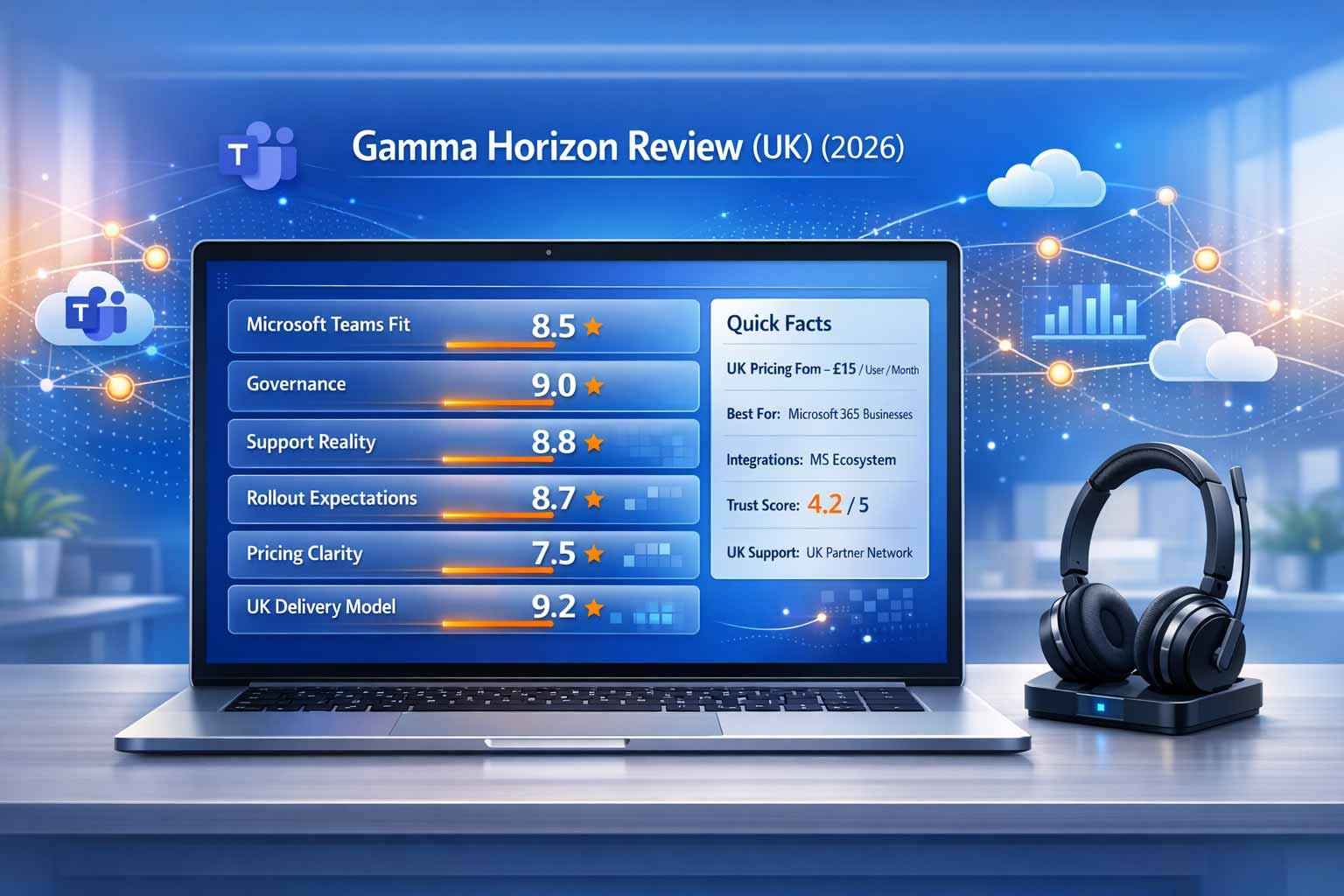
Comprehensive review of Gamma Horizon for UK business, focusing on Microsoft 365 integration, partner-led support models, and £15 starting price.

Gamma Horizon

More structured delivery model for UK organisations with Microsoft alignment and governance needs.

Open review
Compare

Popular SME comparison

If you’re deciding between simple UK SME providers, head-to-head comparisons keep the decision clean.

bOnline vs VoIPfoneBrowse all comparisons

SME decision tip

If your call flow is simple, prioritise support quality and usability. These two factors drive day-to-day satisfaction more than feature lists.

Growth tip

If you expect to grow quickly beyond 20 users, validate whether the platform’s routing and reporting will still fit in 12–18 months.

FAQ

Common UK buyer questions about bOnline: pricing, SME fit, call handling, support, and alternatives.

bOnline is often a strong fit for small UK businesses that want fast setup, straightforward calling, and supportive onboarding without enterprise complexity.

Pricing commonly starts around ~£7 per user per month. Confirm what’s included at your tier (especially call handling features) so you don’t buy the wrong package.

 It can, depending on tier and package. Define your call flow first (simple IVR, group ringing, overflow) and confirm it can be configured the way you need before porting.

bOnline is designed primarily for SMEs. For larger organisations with complex routing, advanced reporting, or large integration needs, consider enterprise platforms.

Test inbound call handling (hours, overflow, voicemail), mobile/remote call quality, and how quickly support can apply common changes. Then port your main number once it’s stable.

VoIPfone is a common alternative for budget-focused simple UK calling. If you need more structure and governance (especially Microsoft alignment), Gamma Horizon can be considered.

Verdict

bOnline is a strong SME option when you want a modern phone system live quickly with helpful UK support. Validate call flow limits early if you have complex inbound needs.

Recommended If You Need

Where bOnline is typically a strong choice for UK buyers.

  • A fast, low-friction VoIP deployment for a small team
  • Supportive onboarding without internal IT dependency
  • Simple call flows and practical everyday calling features
  • Affordable per-user pricing for SME budgets

Not Ideal If You Want

If these describe your business, consider a different platform model.

  • Advanced contact centre tooling and deep analytics
  • Large integration ecosystems and advanced automation
  • Complex multi-site call distribution and governance requirements
  • High-growth scaling where enterprise feature depth becomes necessary
Compare bOnline with alternativesGet a shortlist

Next step

Use comparisons to decide between two finalists, then model real totals (users, numbers, add-ons, terms) before you sign.

Where to go now

Browse comparisonsVoIP savings calculatorMore reviews
Next step

Shortlist In Minutes, Validate With Reviews

Use the quiz to create a shortlist, then validate providers in depth before you compare head-to-head.

VoIP recommendation quizVoIP provider comparisons
CompareVoIPService

Compare business VoIP options with clear criteria and transparent routing across rankings, reviews, comparisons, and PSTN readiness content.

Help & Information
  • How we rank providers
  • Affiliate disclosure
  • Privacy Policy
  • Terms
Explore
  • Best VoIP Providers in the UK
  • VoIP Provider Reviews
  • VoIP Provider Comparisons
  • PSTN Switch-off Guidance
Start Here

Get a fast shortlist and cost signals with the core tools.

VoIP Recommendation QuizVoIP Savings Calculator

© 2026 CompareVoIPService. All rights reserved.

All trademarks, logos and brand names are the property of their respective owners and are used for identification and comparison purposes only.
•Business VoIPCompare trusted UK VoIP options
UKUK-focused£Free quote matching•No obligation⚡Fast comparison
•Prefer help first?
•Expert guidance⚡Fast callback•Business advice•Simple next step
30-second form · Free & no obligation
Free
Compare providers
100% free · No obligation · UK suppliers only
Thank you!

Your request has been submitted successfully. We will match you with suitable UK suppliers shortly.

Response time:

Reference:

Priority support · Free & no obligation
Free
Request callback
Request callback

Leave your details and we will call you back to discuss the right business service options.

100% free · No obligation · UK suppliers only
Thank you!

Your request has been submitted successfully. We will match you with suitable UK suppliers shortly.

Response time:

Reference:

  • Home
  • About
  • Contact
  • Best VoIP Providers
  • Resources
Priority support · Free & no obligation
Free
Request a callback
Request a callback

Leave your details and we will call you back to discuss the right business service options.

100% free · No obligation · UK suppliers only
Thank you!

Your request has been submitted successfully. We will match you with suitable UK suppliers shortly.

Response time:

Reference:

30-second form · Free & no obligation
Free
Get a Quote
100% free · No obligation · UK suppliers only
Thank you!

Your request has been submitted successfully. We will match you with suitable UK suppliers shortly.

Response time:

Reference: