VoIP Bandwidth Calculator for UK Businesses
Find Out Whether Your Connection Can Handle Peak Business Calls
Estimate bandwidth from concurrent calls, codec and packet overhead. Compare upload and download headroom for each business connection, then identify what needs testing before rollout. Free, browser-based and no sign-up required.
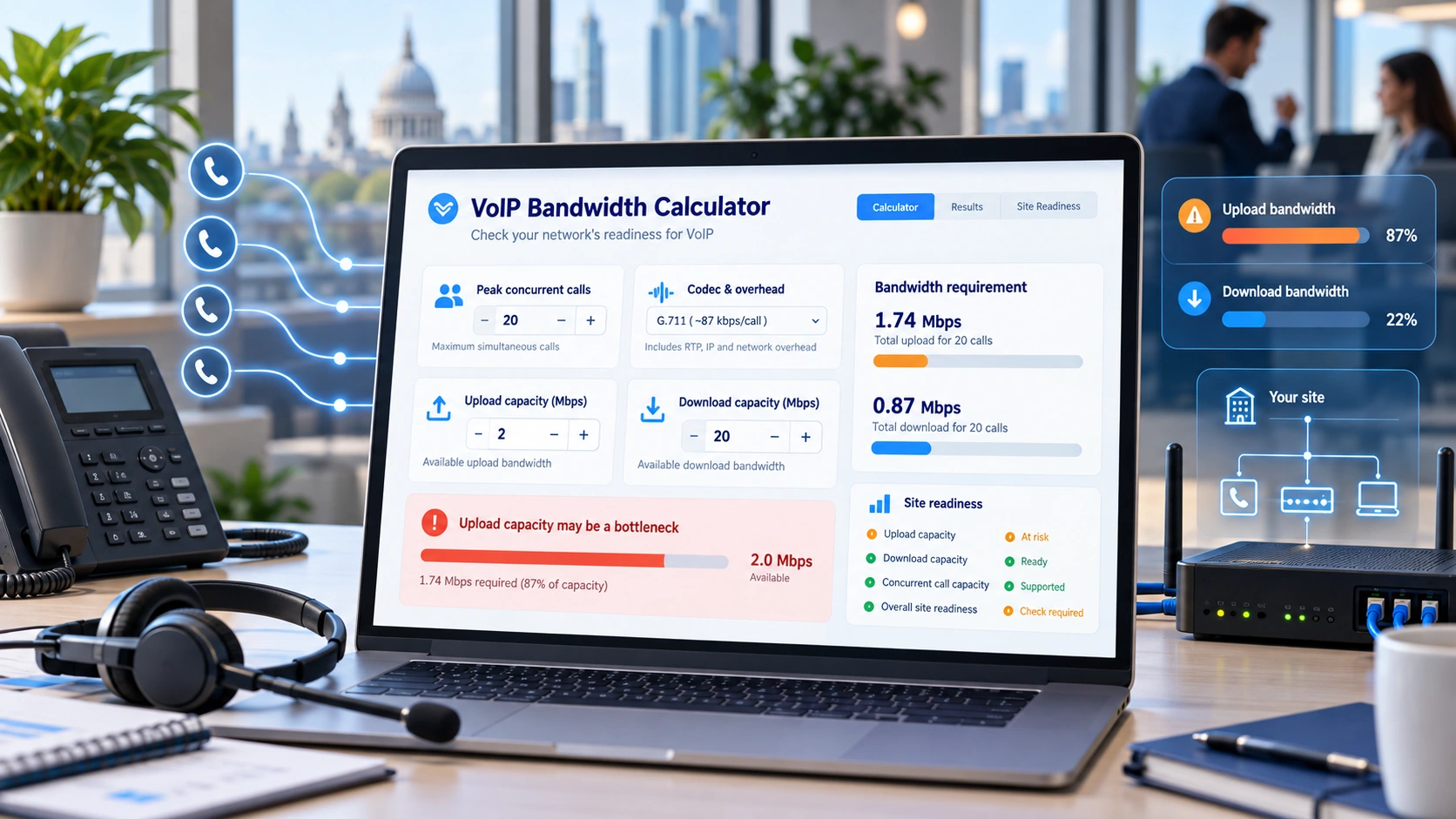
Free Business VoIP Capacity Tool
Plan for your busiest calling period, not just your number of employees. Assess individual connections, review packet overhead and take the result into your next supplier discussion.
Calculate VoIP Bandwidth
Enter measured busy-hour connection capacity, planned simultaneous calls and provider codec settings. The result identifies estimated demand and the most constrained direction; it is not a live speed test.
What the Capacity Result Can Tell You
The calculation reports projected voice traffic, available upload and download headroom, a potential bottleneck and a conditional call-capacity estimate. It does not measure network quality.
Planning note: Check busy-hour throughput, jitter, latency, packet loss, Wi-Fi, firewall configuration and failover with the relevant network and phone-system providers before going live.
Understand Your VoIP Capacity Result
Assess each site with three separate inputs: planned simultaneous calls, packet-adjusted voice requirements and the actual upload/download capacity available during the busy period.
Business Call-Capacity Assessment
Use measured or otherwise evidenced connection figures. A worked example is available for learning; its values are not estimates for your business.
Connection result:
| Bandwidth measure | Upload | Download |
|---|---|---|
| Available after other traffic | ||
| Remaining after planned voice |
Packet assumptions: packets/s; audio payload; headers/framing per packet. Voice without reserve: ; chosen reserve: ; planned total: per direction.
Result classifications are planning guidance, not a telecoms certification or quality guarantee. Confirm jitter, packet loss, resilience and real-world call quality before deployment.
Connection Comparison (0 of 12)
Individual connections are assessed separately. Each entry is a saved snapshot with its own assessment timestamp and evidence source; it stays in this browser page until you leave. Nothing is sent by this calculator to a server.
| Connection | Calls | Voice need (Mbps / direction) | Available upload | Available download | Bottleneck | Result |
|---|
Inputs have changed. Recalculate to refresh the result and enable a current export. Previously saved comparisons remain separate snapshots.
Supplier Brief: Downloads a dated, self-contained HTML document with the inputs, source/provenance, calculation, result and open validation actions. Open it in a browser and use Print to save a PDF. This is not a network certificate.
Privacy: calculations run locally in your browser. Downloaded reports contain only the values you enter and calculated results. No account or email address is required.
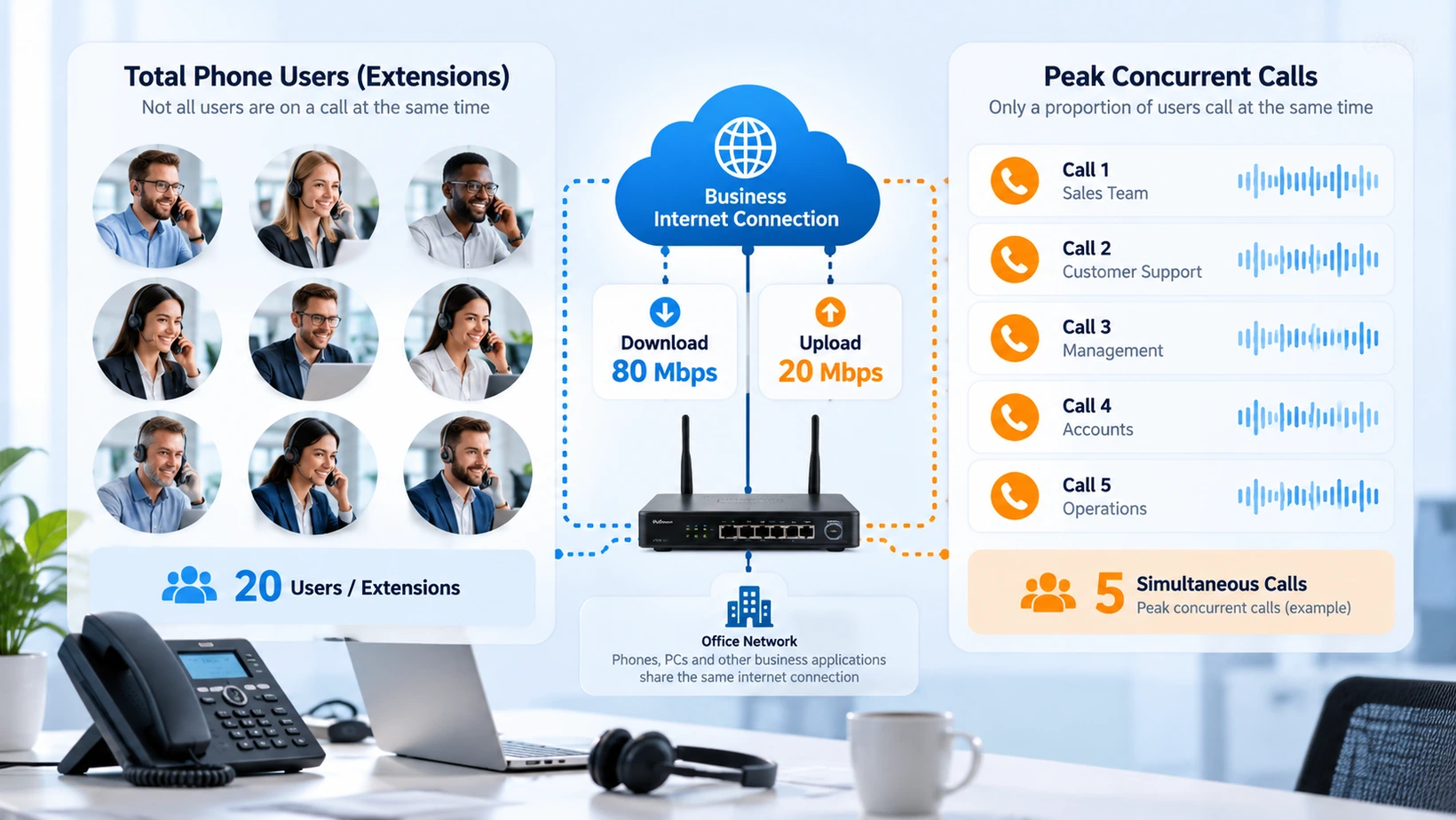
Concurrent Calls & Packet Overhead
Plan capacity around simultaneous conversations, not employee or handset counts. Include codec payload, RTP, UDP, IP, framing and packet interval when estimating demand per call.
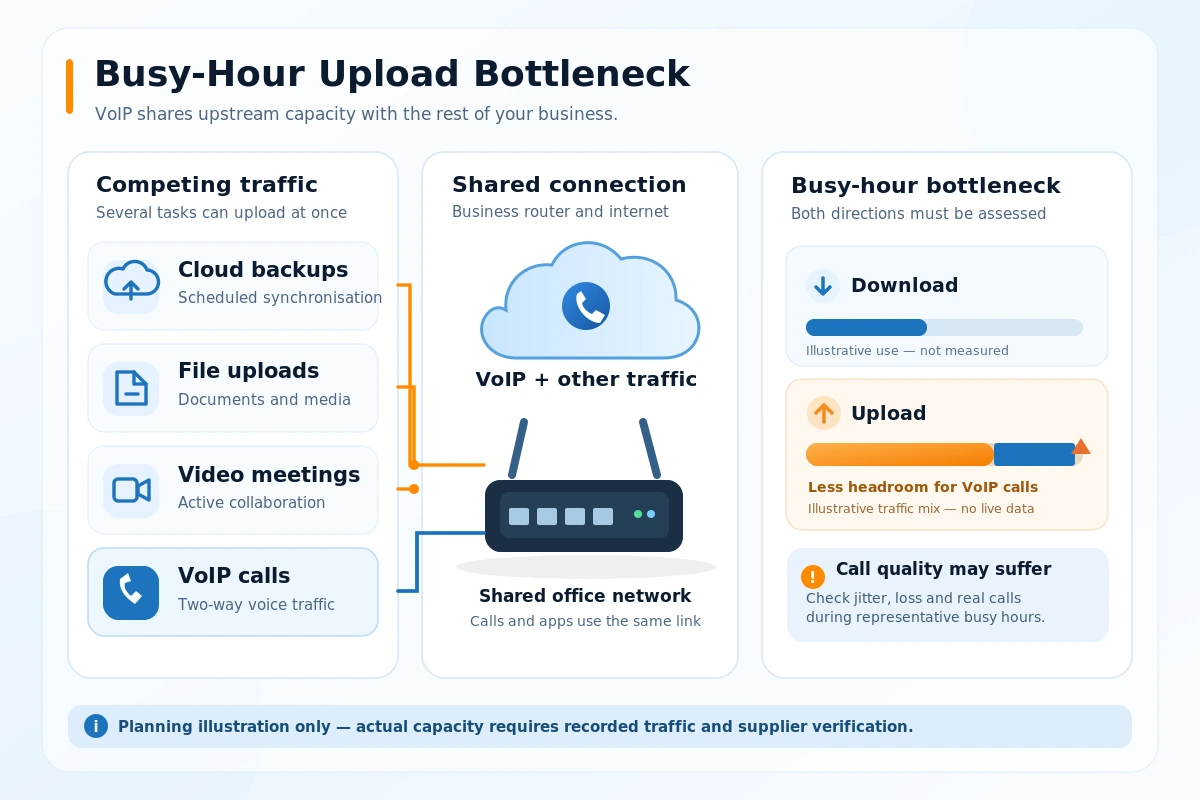
Busy-Hour Upload & Download
Subtract other applications from busy-hour upload and download before judging how many simultaneous calls a connection can carry.
What a Capacity Estimate Does Not Prove
Adequate modelled bandwidth cannot guarantee clear calls. Congestion, latency, packet loss, jitter, Wi-Fi reliability, local equipment and power resilience must be checked separately.
Bandwidth Inputs at a Glance
Compare the inputs that affect a real VoIP rollout decision. Codec payload is only part of the requirement; busy-hour link capacity, other traffic and packet overhead matter too.
Why Upload Capacity Can Be the Limiting Factor
Office broadband is often described by its download speed. But a two-way voice conversation transmits and receives packets continuously, so both directions matter. A connection with comfortable download bandwidth can still struggle if uploads coincide with active calls.
For example, a reception team might be answering customers while another colleague uploads large files to cloud storage. If that upload consumes most of the upstream connection, voice packets may be delayed even where the quoted download rate looks generous. The remedy could involve traffic management, an alternative connection, adjusted upload scheduling or a supplier review of the access service. Buying extra phone licences will not fix an upstream bottleneck.
Capacity, Utilisation and Headroom Are Different Figures
| Measure | Correct interpretation | What it does not tell you |
|---|---|---|
| Required voice bandwidth | Estimated capacity used by simultaneous calls in each direction | The true throughput available on the day |
| Usable link capacity | Verified or user-entered sustained upload/download capacity | Whether delay, jitter or packet loss are acceptable |
| Other-traffic allowance | Capacity expected to be occupied by non-voice applications | Whether every burst can be predicted |
| Planning reserve | Deliberate spare capacity above the modelled voice requirement | A universal or guaranteed quality-of-service threshold |
| Remaining headroom | Capacity left after planned traffic and reserve | Whether a firewall, Wi-Fi access point or provider can process the load |
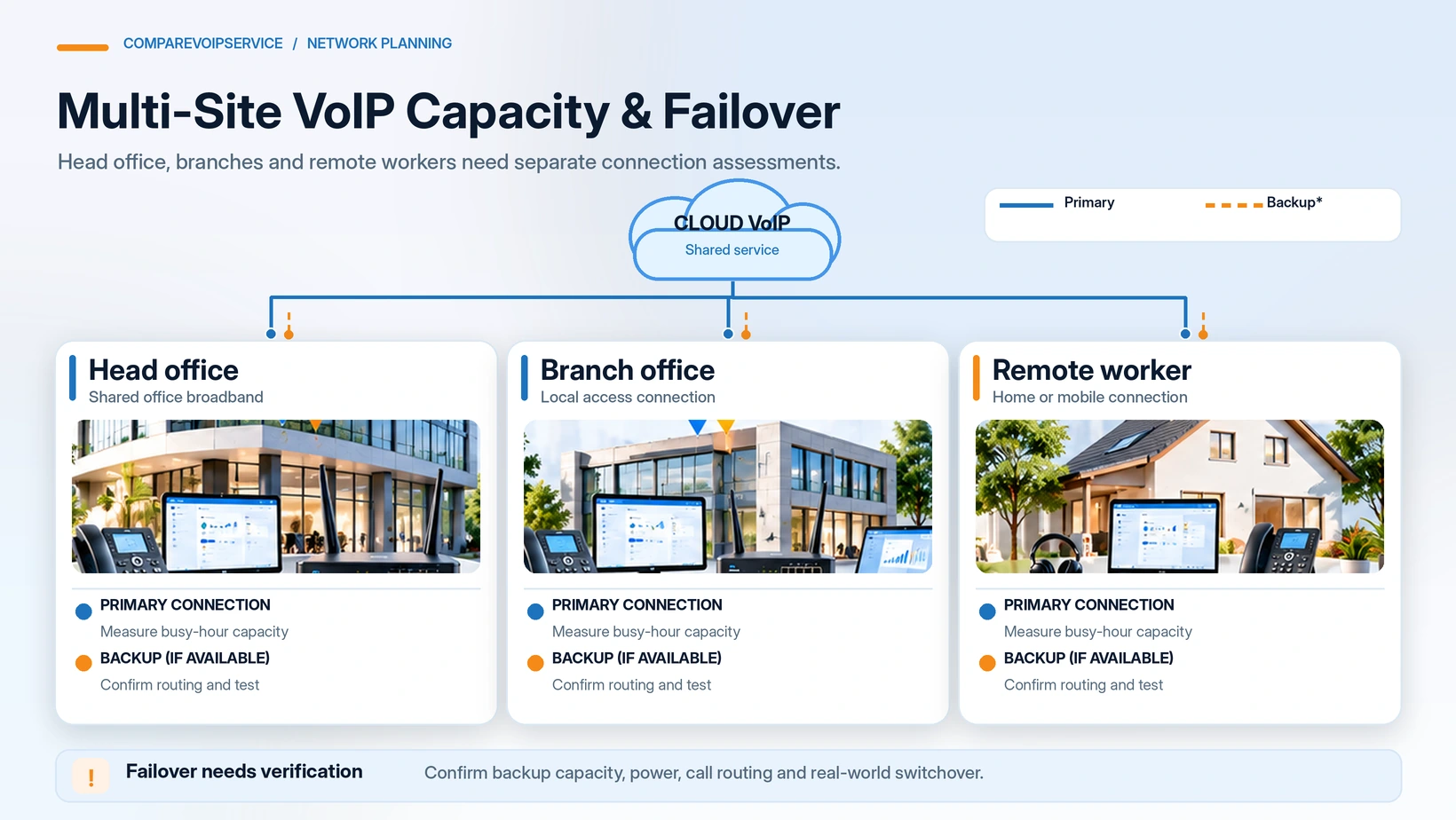
For a multi-site business, compare each location independently. Do not add a 100 Mbps head-office link to a much smaller branch connection and assume the total represents usable capacity at the branch.
How the Voice Bandwidth Calculation Works
A codec’s payload bitrate is not the complete network requirement. Each voice packet includes Real-Time Transport Protocol (RTP), User Datagram Protocol (UDP), Internet Protocol (IP) and access-network framing. The Cisco voice bandwidth calculation guidance explains why the full packet size and packet interval matter.
Packets per second = 1,000 ÷ packet interval (ms).
Bandwidth per call in each direction = (payload bytes + selected protocol and framing overhead bytes) × 8 × packets per second.
Planned voice bandwidth in each direction = per-call bandwidth × concurrent calls × (1 + selected reserve ÷ 100).
Compare planned demand independently against usable upload and download after other traffic. This tool assumes symmetric per-call voice demand in both directions; suppliers should confirm actual codec and access-network settings. The G.711 worked example is an illustration, not a measured customer result.
Which Voice Codec Should You Select?
The codec selected by the supplier determines the audio payload; the connection still carries network headers. A lower bitrate does not automatically make a codec the best choice for every call environment.
| Codec family | Planning implication | Confirmation required |
|---|---|---|
| G.711 | Higher fixed-rate voice payload, commonly modelled with explicit packet overhead | Provider support, packet interval and actual network framing |
| G.729 | Lower fixed-rate payload, but packet overhead remains significant | End-to-end availability, licensing or platform limitations where applicable |
| Opus | Variable bitrate and adaptable configuration | The provider’s negotiated bitrate range, packetisation and capacity recommendation |
| Other or unknown codec | No reliable packet calculation until its settings are identified | Written technical parameters from the supplier |
A variable-rate codec needs a clearly stated planning bitrate or range, not a fabricated single fixed rate. Encryption, VPN tunnels, IPv6, VLANs and other network layers can increase or change the effective bandwidth needed.
Practical Business Bandwidth Scenarios
Six real planning situations in which a site-level capacity estimate helps identify the next action before a full VoIP rollout.
Verify Network Readiness Before Rollout
A capacity calculation is an evidence-led starting point. Pair it with busy-hour measurements, provider codec settings and a controlled call-quality pilot.
Confirm Your Planning Inputs
Test Real-World Call Quality
Network Readiness Is More Than Mbps
A connection may appear fast enough yet still suffer unacceptable call quality. Validate the network, supplier configuration and continuity arrangements before authorising rollout.
Make a Practical Capacity Decision

| Your finding | What it means | Sensible next action |
|---|---|---|
| Upload is the constraint | The estimated upstream requirement exceeds, or approaches, usable upload capacity | Measure upstream use during the busiest period and discuss capacity or traffic priorities with the network supplier |
| Download is the constraint | The downstream connection has insufficient estimated headroom | Investigate competing traffic and the actual sustained downstream service |
| Only one branch is constrained | An individual site may not support its call plan | Assess that site separately; do not rely on capacity at other offices |
| Primary link appears sufficient but backup does not | Failover may support fewer calls | Define a reduced-call operating plan or improve backup capacity |
| Inputs are not confirmed | The model cannot support a confident decision | Obtain codec settings, peak call records or real busy-hour throughput evidence |
| Capacity appears sufficient | There is no calculated bandwidth shortfall under the assumptions | Test latency, jitter, packet loss, Wi-Fi, firewall behaviour, call routing and resilience before rollout |
What a Bandwidth Estimate Cannot Prove
Bandwidth is not the same as call quality. A connection may have enough Mbps yet suffer from packet loss, inconsistent latency, jitter, overloaded Wi-Fi, poor local cabling, weak router performance or disrupted power. Equally, a speed test run at a quiet time may not represent the connection when the team is busiest.
Use this assessment alongside real-world network tests, packet-quality measurements, telephone-provider requirements and the VoIP setup guide. When the calculation indicates a constrained site, address the network issue before relying on a planned full-scale rollout.
Network Evidence to Share With Your Provider
A useful supplier conversation starts with recorded assumptions rather than a claim that your broadband is simply “fast enough”. Keep these together:
| Evidence | What to record |
|---|---|
| Each business location | Internet connection and whether calls share it with other traffic |
| Peak demand | Maximum expected simultaneous calls and how the figure was established |
| Codec assumptions | Codec, packet interval, IP version and relevant link framing |
| Connection readings | Busy-hour sustained upload/download results, clearly dated |
| Non-voice traffic | Cloud backups, video traffic and other material usage patterns |
| Continuity arrangements | Backup internet, power arrangements and planned reduced-service capacity |
| Validation decision | Capacity concern, further test needed or conditional readiness to pilot |
Related guidance: VoIP Setup Guide · Network Readiness Checklist · Assess Another Connection
When Preparing a VoIP Rollout
Before switching or expanding a phone system, assess each internet connection independently. Confirm peak call demand, codec configuration, packet overhead, quality-of-service arrangements and a measured pilot.
When Planning Multi-Site Resilience
Head-office bandwidth cannot cover a smaller branch or home-worker connection. Verify the primary and backup services for every important location and agree how calling should work if a link fails.
Enter the peak active calls, codec and usable upload/download of one connection. Open Bandwidth Calculator.
Read packet-adjusted voice demand, remaining headroom and the constrained direction. Calculation Method.
Confirm the codec settings, busy-period call quality, resilience and supplier limits. VoIP Tools Hub.
Make Better VoIP Capacity Decisions
Find your busiest-site bottleneck, compare realistic call capacity and document the remaining network questions before investing in more telephone licences or starting migration.
FAQs
Answers about simultaneous calls, packet overhead, busy-hour capacity and the limits of bandwidth planning.
Sources, Privacy and Calculation Limits
The calculator estimates per-direction voice packet demand from the selected codec, packet interval, IP headers, access-network overhead, concurrent calls and chosen reserve. Entered upload, download and other-traffic figures determine headroom. Results are conditional planning estimates, not live speed measurements or call-quality guarantees.
The assessment runs in your browser without requiring an email address. Exported CSV files contain the numbers and workplace names you enter. The result does not test latency, packet loss, jitter, firewall behaviour or resilience. For installation checks, see the VoIP Setup Guide.