

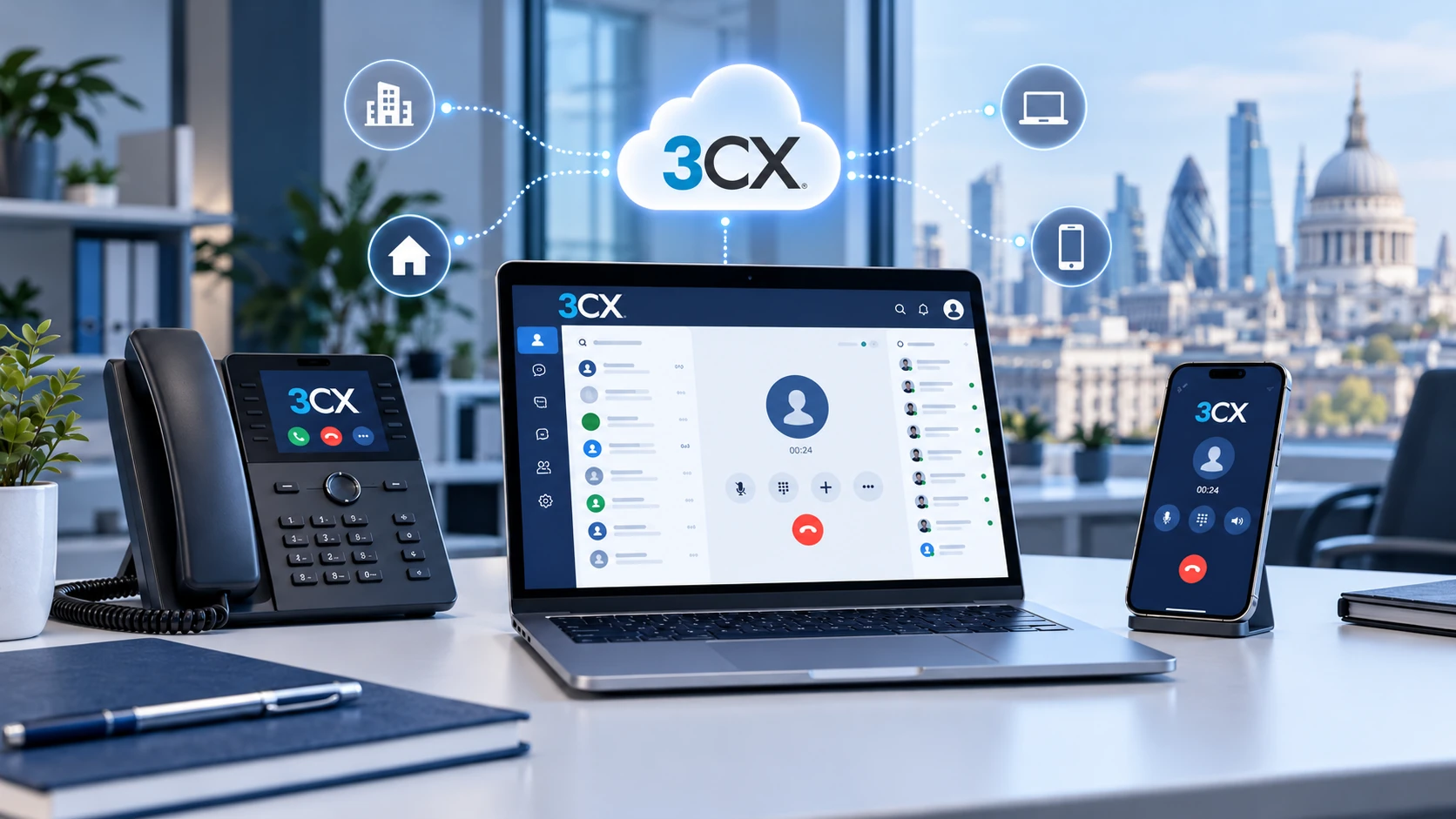
3CX Phone Systems, Explained for UK Businesses
3CX controls business calls, extensions and supported apps. Hosting, a SIP trunk, UK telephone numbers and clear support responsibilities complete the picture. Use this independent guide to understand each layer before choosing your setup.
This is a simplified illustration; actual routes and capabilities depend on edition, SIP provider and deployment.
Quick answer: A 3CX phone system is an IP PBX that routes calls using internet-based communications. A UK business can deploy it on its own infrastructure, in its own cloud account or through 3CX hosting, subject to edition and deployment conditions. Unlike many per-seat phone services, commercial 3CX licences are mainly sized by simultaneous calls; SIP trunks, numbering, hosting and support may incur separate charges.
Jump to a Section
What Makes Up a Complete 3CX Phone System?
Think of 3CX as the call-control software, not the entire telephone network. The PBX decides where a call goes, but a telecommunications provider normally carries calls to and from the UK public telephone network.
For example, when a customer calls your sales number, a supported SIP trunk delivers the call to the PBX. 3CX may apply opening hours and direct it to the sales ring group. A team member can then answer on a compatible desktop app, mobile app, browser client or IP desk phone. The same organisation could use separate numbers for support or individual direct-dial extensions.
| Component | What it does | Who typically supplies or manages it |
|---|---|---|
| 3CX PBX | Extensions, call routing, user management and supported communications features. | 3CX software; configured by your IT team or partner. |
| Hosting | Runs the PBX in a managed cloud, your cloud account or on-site server. | 3CX, an infrastructure provider or your organisation. |
| SIP trunk | Connects the system with external telephone networks. | Compatible SIP/telecoms provider. |
| UK numbers | Main line, departmental numbers and DDIs. | Number provider; eligibility and porting need confirmation. |
| Endpoints | Employee apps, headsets and compatible handsets. | Your business and approved suppliers. |
| Support and recovery | Updates, troubleshooting, monitoring, backup and restoration. | Responsibilities must be assigned contractually. |
The practical advantage is flexibility, but there are more pieces to verify than with a single bundled phone subscription. Before buying, ask which components are included in the quote and who owns each one if calling stops working.
What Can Employees Do With 3CX?
A typical 3CX deployment can combine internal extensions and external calling with useful office communications. Availability depends on the edition, configuration, connected services and supported devices.
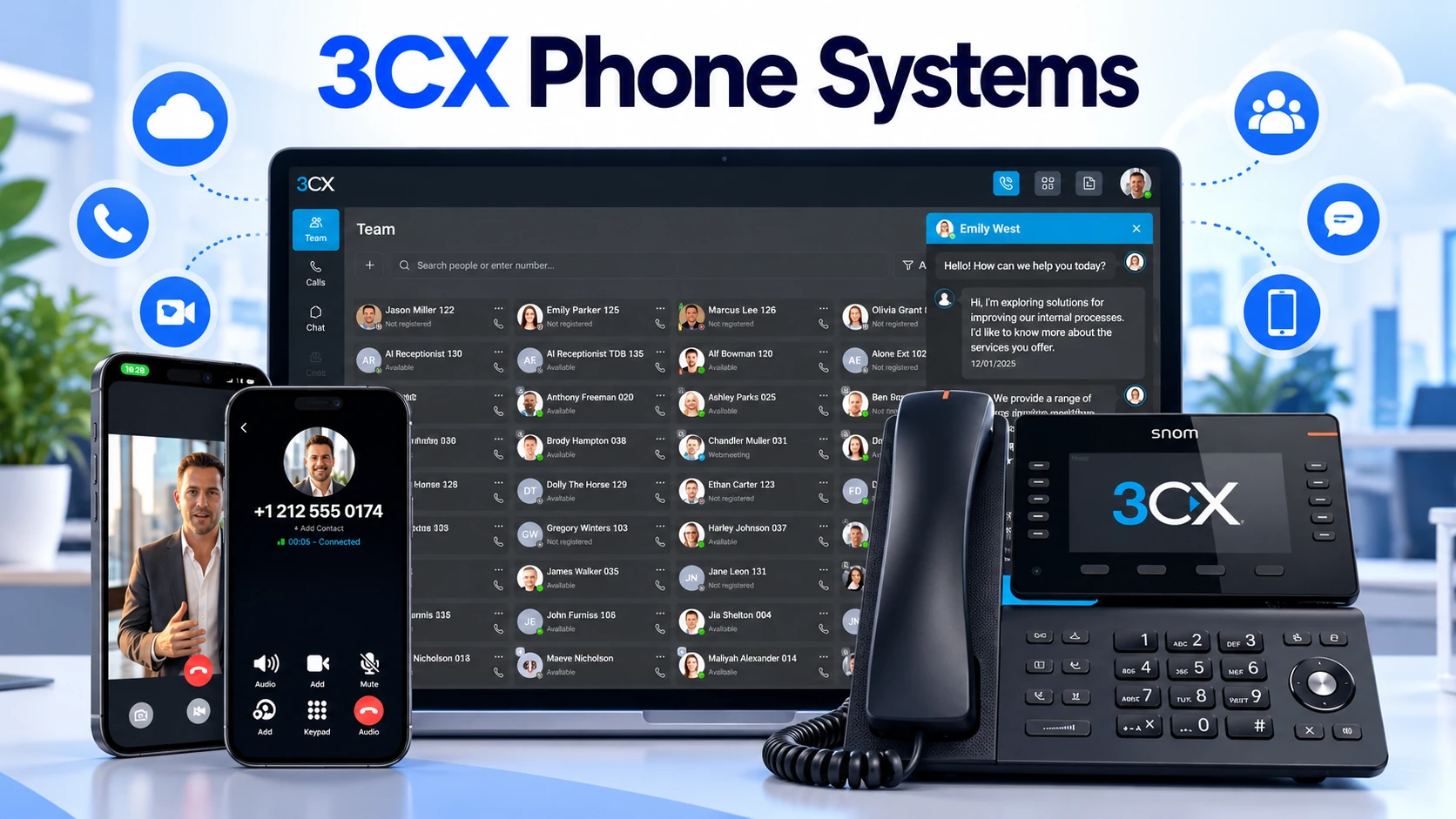
Employees can use a web client and desktop or mobile apps; supported editions and deployments may also connect desk phones.
Route a main number to a receptionist, department, IVR menu, ring group, queue or out-of-hours destination.
Extensions, transfer, presence and voicemail make it easier for colleagues to handle and pass calls.
Manage users, office hours, routing and supported reporting from a central phone-system interface.
Some editions add CRM, Microsoft 365 and reporting functions. Confirm each specific integration and any external subscription requirements.
Higher editions offer additional contact-centre and AI features; they should not be assumed available in the free editions.
For a fuller explanation of IVRs, hunt groups, ring groups and queues across business systems, use our UK business call-routing guide. The purpose here is to explain 3CX’s role, not duplicate general routing instructions.
How Does 3CX Licensing Work?
The main difference from conventional hosted phone plans is that 3CX’s commercial PBX licence is sold per system, chiefly according to its edition and simultaneous-call (SC) capacity. That does not mean unlimited people or unlimited calls. Each licence size has recommended and maximum extension limits, while the SIP provider may separately limit channels or call usage.
What Is a Simultaneous Call?
A simultaneous call is a call happening at the same time as other calls on the system. In 3CX’s licensing explanation, both internal and external conversations count. An extension that is idle does not use call capacity simply because that staff member exists.
Imagine a UK company with 30 staff. During its busiest period, six external conversations and two internal conversations are active. That is eight simultaneous calls, not 30 licences. The buyer should then allow for peaks and growth, check the extension limit, confirm trunk-channel capacity and ask a 3CX specialist which supported licence size offers sensible headroom. This is a hypothetical sizing exercise—not measured traffic or a recommendation that eight SC is sufficient.
Peak calling matters more than average headcount alone. A receptionist, busy outbound team, conference calls or seasonal order rush may change demand. Ask your supplier to check your actual call records and distinguish internal calls, external channels and the licence’s maximum supported extensions.
Free and Paid Editions Are Not Equivalent
| Edition | Who it may suit | Important limitation or question |
|---|---|---|
| SMB Free | Very small teams wanting a 3CX-hosted shared service. | 3CX describes support for up to 10 users. Check edition features and separate SIP/call charges. |
| 4SC Basic Free | Micro setups willing to manage their own hosting. | Self-hosted only; up to 10 users; no IP desk-phone support or advanced CRM/API integrations. |
| Basic | Businesses seeking paid core telephony with more capacity. | Check call capacity, extension limits, hosting, desk-phone support and selected features. |
| PRO | Customer-facing teams requiring more extensive queues, integrations and reporting. | Confirm the particular integration and reporting feature in the current comparison list. |
| AI | Organisations that can justify advanced AI, analytics and eligible resilience features. | Check licence entitlements, usage conditions, data handling and any third-party charges. |
3CX’s offers and entitlements change. The authoritative documents are its licensing explanation, live feature matrix and 4SC Free Basic specification. Check these against your intended deployment and written quote rather than assuming features from an older article.
Where Can 3CX Be Hosted?
3CX can run in different environments. They affect the work your organisation must do, but they are not separate telephone-system brands.
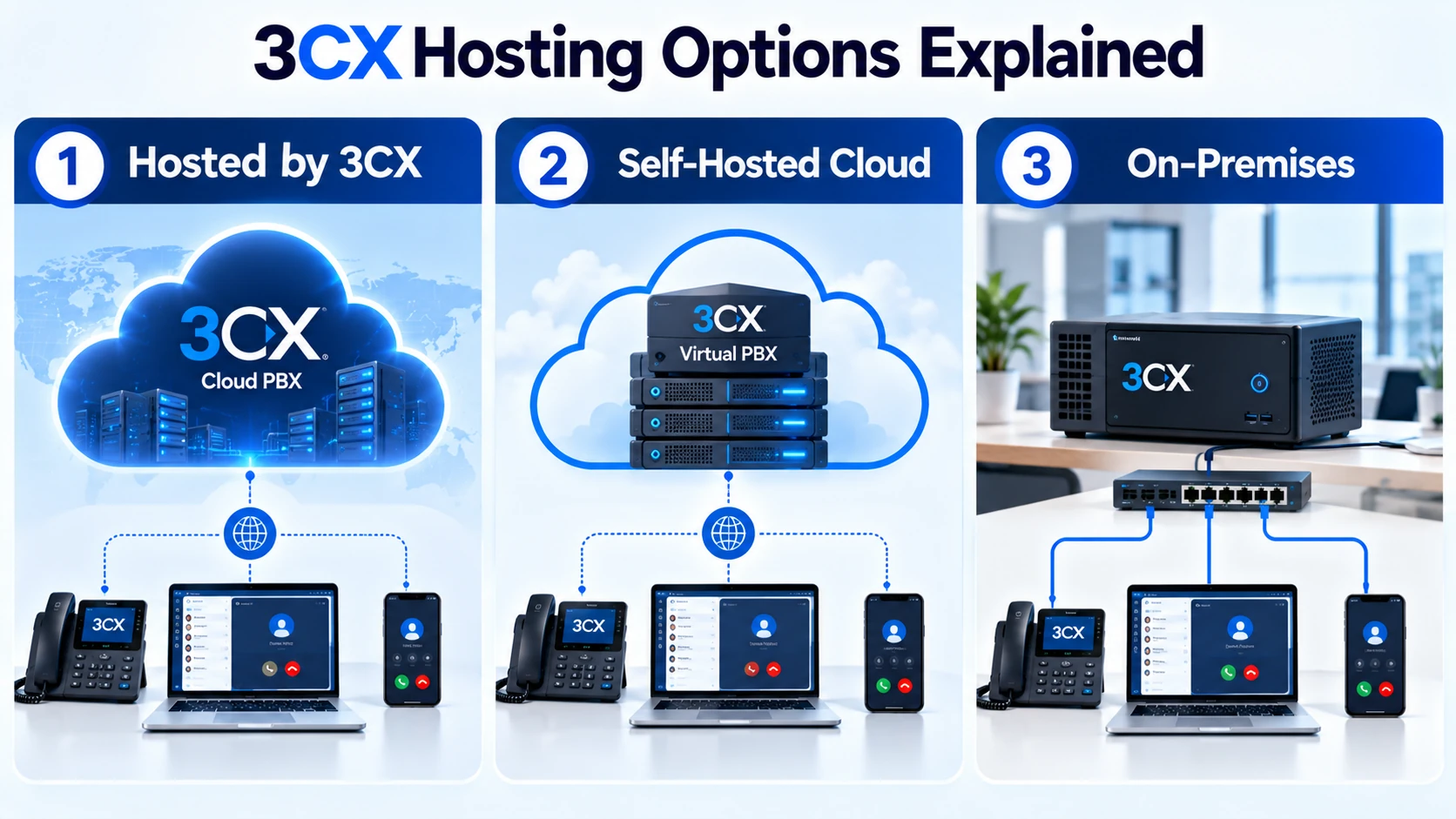
| Deployment | Typical arrangement | Confirm before choosing |
|---|---|---|
| Hosted by 3CX | 3CX manages the hosted PBX infrastructure and core platform updates for eligible systems. | Hosting fee, supported SIP trunk, desk-phone connection through SBC/router phone, backup owner, partner support and failover limits. |
| Self-hosted cloud | PBX runs in a cloud environment controlled by you or your IT partner. | VM sizing, OS and application updates, firewall, monitoring, backups, recovery, ongoing cloud cost and management access. |
| On-premise | PBX runs on supported hardware or virtual infrastructure in a location you control. | Reliable local power, internet, hardware maintenance, backup, patching and physical-site resilience. |
Hosted is not the same as fully supported. 3CX’s published hosted terms explain that customers remain responsible for their own PBX backup and disaster-recovery strategy; routine SIP trunk, IP-phone and other configuration support is not simply included with the hosting service. Confirm whether a qualified partner is engaged and what their service-level agreement covers. Read the official hosting responsibilities and limitations.
Some deployments impose additional device constraints. For example, 3CX-hosted installations require supported IP desk phones to connect through a 3CX SBC or router phone rather than unrestricted direct STUN provisioning. A site with dozens of desk phones therefore has different preparation needs from a team using browser and mobile apps.
What Does a 3CX Phone System Really Cost in the UK?
The PBX licence is only one element. Your quote may also include hosted infrastructure, a SIP trunk, telephone numbers and usage, configuration, supported hardware, support and recovery. A small team using apps can have a very different cost structure from a multi-site business with desk phones and dedicated resilience.
| Cost component | Questions to ask for a like-for-like quote |
|---|---|
| 3CX edition and SC size | Which licence, how many simultaneous calls, what extension cap, what renewal terms? |
| Hosting and infrastructure | Is hosting separately charged? Who pays for cloud/server resources, updates and monitoring? |
| SIP trunk and call usage | How many external channels? Which UK destinations are included? What are excess and international rates? |
| UK phone numbers | What are the monthly number/DDI charges, porting fees, minimum terms and emergency address requirements? |
| Phones and local network | Do you need handsets, headsets, SBCs, PoE switches, routers, UPS units or mobile data backup? |
| Deployment and support | What do configuration, staff training, ongoing changes, incident support and out-of-hours help cost? |
| Security and recovery | Who manages backups, restore testing, access permissions and incident response? |
| Tax and renewal | Are quotations in GBP and inclusive or exclusive of VAT? Are exchange rates, annual changes or extra services specified? |
Annual PBX licence + annual hosting/infrastructure + annual SIP/number/call charges + support + one-off setup and devices + any applicable VAT = a more meaningful first-year cost than the PBX price alone. For later years, remove genuine one-off costs and include renewals, replacements and expected changes. Do not compare this figure with a bundled per-user tariff unless both quotes include the same services.
Consult 3CX’s current pricing page for live licence and hosted pricing, which may be displayed in currencies other than GBP and excludes relevant taxes. This guide deliberately avoids quoting a fixed UK price that could misrepresent a particular contract or edition.
Connecting 3CX to UK Telephone Numbers
For most UK businesses, the SIP trunk provider supplies the route between 3CX and the external telephone network. Choose a compatible provider and verify the details that affect live calling—not just a generic claim of interoperability.
- Number ownership and porting: inventory the main number, each DDI, fax number and any numbers used for alarms or payment devices. Confirm which are transferable and who will submit the port.
- Incoming and outgoing CLI: confirm the number shown on outbound calls and that the provider authorises its presentation. Do not assume every DDI can be displayed.
- Capacity and tariffs: distinguish the PBX’s SC licence from external trunk channels and carrier call charges.
- Emergency services: verify 999/112 routing and the correct registered location, including remote workers or multiple sites where relevant.
- Supported configuration: check trunk authentication, vendor templates, codecs, DTMF and the failover arrangements supported by the supplier.
3CX publishes a UK SIP trunk provider directory, but a listing does not replace due diligence on contractual support, emergency access or porting. Our separate UK business number-porting guide explains the wider switching process without duplicating it here.
Emergency Calls, Remote Locations and Business Continuity
A business telephone system must be evaluated as a working communications chain. For emergency calls, that chain includes the user device, network and power, PBX configuration, external SIP provider and the provision of accurate location information.
999 and 112: Verify the Complete Route
3CX provides configuration options for emergency numbers, but installing the PBX does not automatically prove an end-to-end compliant UK emergency-calling service. Ofcom requires regulated voice providers to maintain access to emergency organisations and provide reliable caller-location information where technically feasible. Your business and suppliers should establish how the location records are maintained, particularly for staff working away from their normal premises.
Ask the carrier and implementer for an approved emergency-call verification process; do not place unnecessary live 999 or 112 test calls. Confirm behaviour during office internet or power failure, remote working, a change of site and the use of fallback devices. Ofcom has specific provider obligations and power-cut guidance.
What Breaks When Part of the System Fails?
| Failure | Likely impact | Question to resolve |
|---|---|---|
| Office internet or power | On-site phones, SBCs or routers may be unreachable. | Is there power backup, mobile data or a verified alternative emergency route? |
| PBX or cloud instance | Calls cannot follow the normal PBX routing path. | What are the restore target, available backups and tested recovery steps? |
| SIP carrier service | Calls into/out of the public network may fail. | Is a second route possible, and how is its switchover initiated? |
| Handset or user app | One user’s access may be affected. | Can the user switch to an approved alternative device safely? |
| Administrator access | Changes and recovery may be delayed. | Who holds break-glass credentials and who is authorised to use them? |
3CX documents active/passive PBX failover for qualifying AI Edition configurations; that feature is not supported on systems hosted by 3CX. SIP-carrier failover is also different from PBX failover. Check the official PBX failover requirements and backup and recovery guidance before relying on a continuity promise.
Security, Privacy and Maintenance Responsibilities
As an internet-connected business communications platform, 3CX needs normal operational controls: access permissions, reliable updates, supported software versions, secure remote access, backups and periodic review of phone-system logs and unusual outbound calling activity.
- Assign a named person or provider to manage 3CX updates and supported phone firmware.
- Control administrator access; use available multi-factor authentication and strong role separation.
- Restrict overseas or premium-rate calling when it is not needed and investigate unexpected activity.
- Protect and test backups; maintain a recoverable copy appropriate to your chosen hosting arrangement.
- Where call recording, transcription or monitoring is enabled, document the purpose, lawful basis, retention, access and worker/customer information.
The ICO explains that monitoring or recording calls is not automatically proportionate in every case. Businesses should assess necessity, transparency and data-protection obligations. See the ICO guidance on monitoring telephone calls.
Is a 3CX Business Phone System a Good Fit?
The answer depends less on a headline feature count than on who will administer the system and whether the commercial arrangement matches your needs.
Businesses with an IT team or accountable telecoms partner, a need for flexible call routing, several sites or departments, and a preference for choosing compatible SIP suppliers and deployment models.
Organisations that need one contract covering devices, connectivity, 24/7 support and a guaranteed recovery process; very small teams needing desk phones on a free edition; or those without anyone to maintain the system.
A managed 3CX service can reduce your in-house workload, but confirm what the provider actually supports. Conversely, self-hosting may give greater infrastructure control while placing more responsibility on your team. For general business VoIP solution selection, see our UK VoIP buyer’s guide. For a different commercial question, the published Gamma versus 3CX comparison looks at a managed service proposition against PBX deployment decisions.
A Practical 3CX Readiness Checklist for UK Businesses
Use this before requesting quotes, approving a migration date or signing a managed-service agreement.
- List every business number, DDI, current service contract and number that needs to be ported.
- Record staff numbers, offices, remote workers, desk phones, mobile apps and accessibility needs.
- Estimate realistic simultaneous internal and external conversations at the busiest time, with headroom.
- Identify the current 3CX edition, supported features, extension caps and renewal conditions you actually require.
- Obtain a complete itemised quote for licence, hosting, SIP trunk, channels, numbers, call rates, hardware, setup, support and VAT.
- Assign ownership for SIP provider configuration, UK emergency location records, admin access, backups and incident handling.
- Check network readiness and power/internet backup for each site. Agree a safe fallback for emergency communications.
- Run a small pilot covering incoming calls, transfers, queues, outbound CLIs, devices, recordings (if authorised), voicemail and out-of-hours rules.
- Confirm the number-porting and go-live plan, service support contacts, recovery path and documented acceptance tests.
For a general implementation sequence—equipment, network, testing and rollout—refer to the VoIP setup guide. This checklist concentrates on the extra decisions created by a 3CX-based installation.
Frequently Asked Questions About 3CX
Is 3CX the Same Thing As a VoIP Provider?
No. 3CX is the PBX/software platform. A UK business generally also needs a compatible SIP/telecommunications provider and telephone numbers for ordinary external calling. Some partners sell those components together as a managed service.
Can a Small UK Business Use 3CX for Free?
3CX offers free options with restrictions. SMB Free is aimed at very small teams and is hosted by 3CX; 4SC Basic Free is self-hosted, supports up to ten users and does not support IP desk phones. SIP, numbers and other services may still incur costs. Confirm the latest licence conditions before choosing.
How Many Phone Lines Do I Need with 3CX?
Start with the number of calls active together, then check both the 3CX SC licence and the external channels allowed by your SIP provider. A company with many staff does not necessarily have a matching number of concurrent calls. Include peak periods, internal conversations, queues and future growth.
Does 3CX Include a UK Telephone Number?
Not as a standard consequence of purchasing a commercial PBX licence. UK numbers and external calling are normally arranged through a SIP provider. Portability, charges and caller-location requirements should be confirmed with that provider.
Can I Keep My Existing Business Phone Number?
Often, subject to number and provider eligibility. Confirm the correct porting route and timing before terminating the old service. Avoid cancelling a number until the new provider confirms the safe migration process.
Does 3CX Work When the Internet Fails?
Internet and power failures can interrupt particular devices or call routes. Continuity depends on the actual network, hosting, SIP arrangements and backup plan. A mobile app or fallback route is useful only when tested and supported by an independent connection.
What Is the Difference Between 3CX Hosted and Self-Hosted?
With Hosted by 3CX, 3CX operates the hosted environment for eligible systems; with self-hosting, your organisation or partner controls the infrastructure. Neither arrangement removes the need to define support, SIP configuration, emergency-calling responsibilities and recoverable backups.
Sources and How This Guide Was Prepared
This is an independent explanatory guide, based on current published vendor specifications and UK regulatory guidance rather than claimed hands-on benchmarking. Features, licences and deployment conditions may change; verify the applicable edition and supplier contract before committing.
- 3CX — Licensing and simultaneous-call model
- 3CX — Current feature comparison by edition
- 3CX — Hosted service responsibilities and limitations
- 3CX — Configuring emergency numbers
- Ofcom — Emergency-calling regulatory compliance
- 3CX — PBX failover requirements
- 3CX — Backup and recovery guidance
- ICO — Telephone monitoring and data protection
Content checked against vendor and regulatory documentation in October 2026. Editorial research is not certification of any particular provider, licence configuration or emergency-calling installation.
3CX System Readiness Brief
Compare the Whole 3CX Setup, Not Just the Licence
Agree your numbers, hosting, call capacity, endpoints and recovery requirements first. Then use the same checklist when assessing VoIP suppliers and managed service quotes.

Bhav Giva
Founder & Lead Analyst at CompareVoIPService.co.ukBhav Giva publishes UK-focused business communications research and practical VoIP guidance. This guide explains how 3CX phone systems fit into a complete UK calling service, focusing on hosting, simultaneous-call capacity, supplier responsibilities and evidence-led buying decisions.