

Get the Right Teams Phone Licences Without Double-Counting.
Compare UK Phone Standard and Calling Plan bundles, check E5 and frontline entitlements, and classify reception queues, shared phones and users before signing a quote.
The right licence depends on user role and the external calling service.
Quick answer: Teams Phone Standard provides eligible users with Microsoft’s cloud-phone functionality, but not a Microsoft Calling Plan by itself. E5 may already include Phone; Calling Plan bundles include Phone Standard; and queues, common-area devices and frontline users need role-specific checks. Establish those entitlements first, then add the correct UK PSTN service, support and VAT to your quote.
Jump to a Section
What Microsoft Teams Phone Licences Do UK Businesses Need?
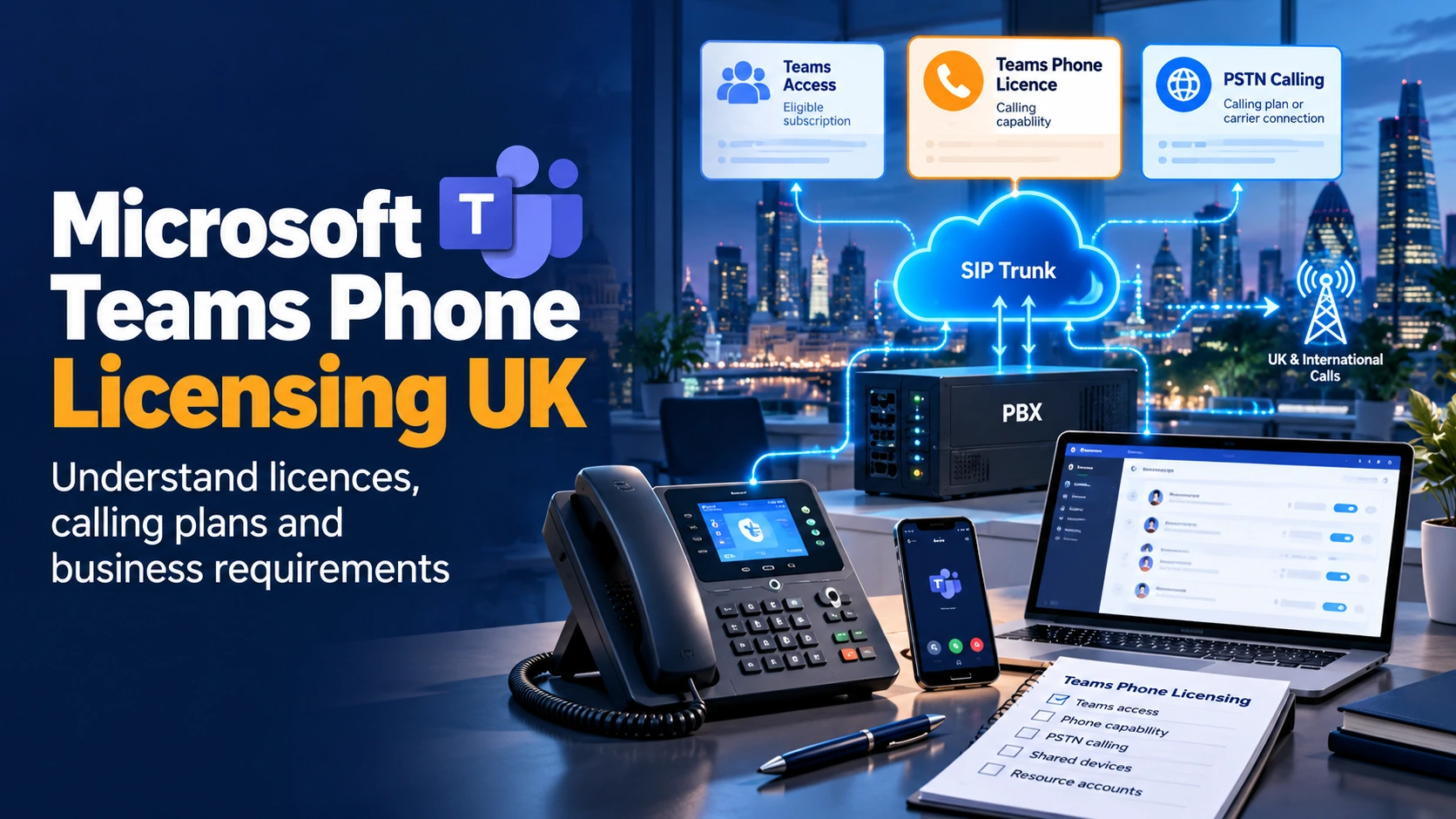
To use Teams as a business telephone system, a UK organisation generally needs an eligible Microsoft Teams entitlement, Teams Phone capability for people using PBX features, and a suitable way to connect external UK calls. Those are distinct layers. A person who can call a colleague inside Teams is not necessarily licensed and configured to call an ordinary UK landline or mobile number.
If you already have an eligible Microsoft 365 E5 or Office 365 E5 offer, the Teams Phone service may already be included. Other eligible licences usually need a Teams Phone add-on. Anyone calling external phone numbers also needs a supported PSTN connection arrangement—either a Microsoft Calling Plan or a participating telecoms provider.
Exact entitlements depend on the purchased SKU, market, billing route and user type. Verify the licences in your tenant, not just the name on a Microsoft 365 invoice.
Separate Teams Access, Phone Capability and PSTN Calling
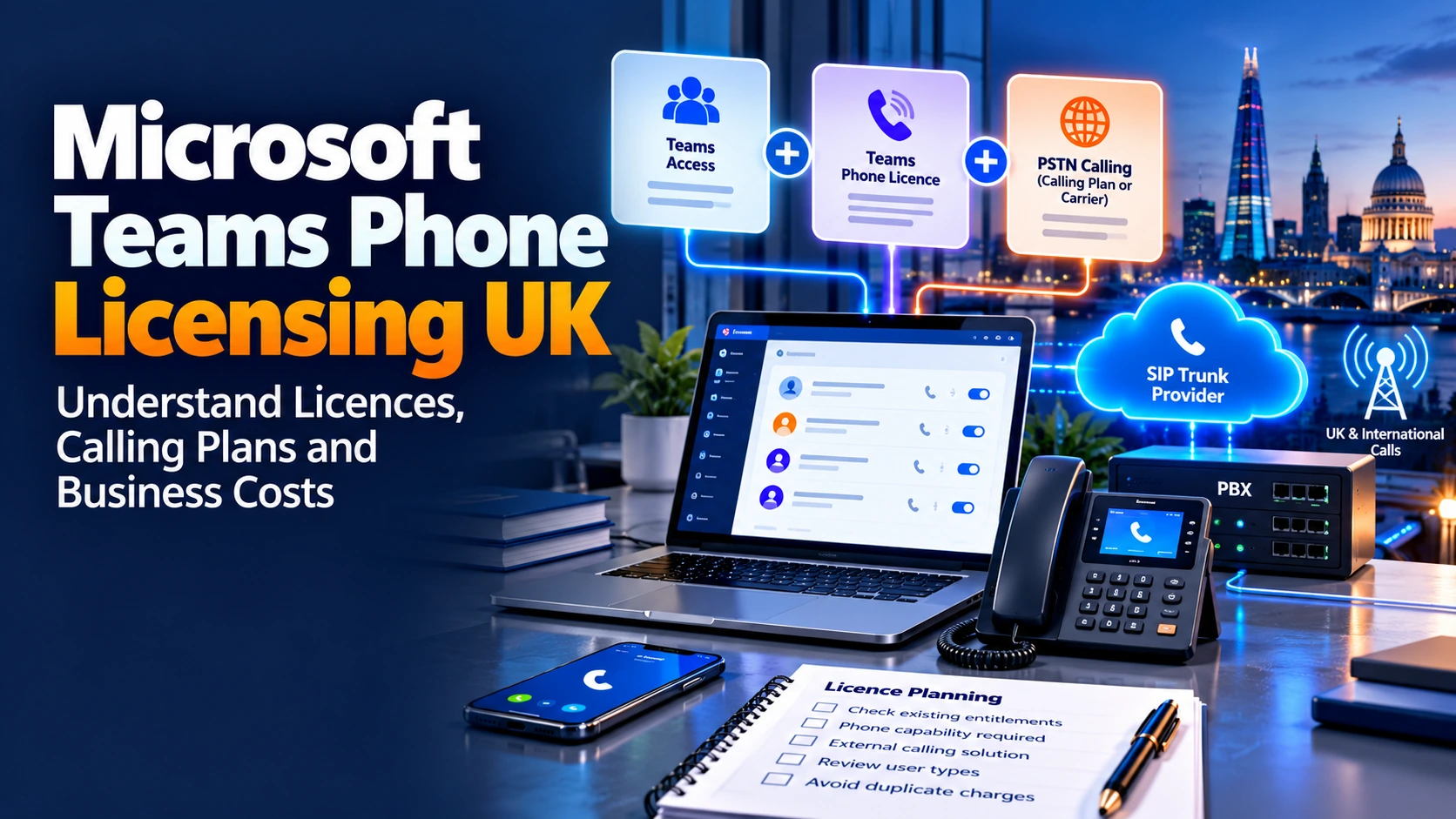
It helps to ask three questions in order: Does the user have Teams? Do they have Teams Phone? Which provider connects their external calls? Only then should you choose a purchase route.
| Layer | What the entitlement enables | What it does not necessarily include |
|---|---|---|
| Teams access | Teams collaboration, identity and the Teams client under an eligible subscription. | It does not automatically mean a user has PBX features or an external calling service. |
| Teams Phone | Cloud PBX features such as enterprise calling policies, forwarding, voicemail, delegation and eligible queues. | The Phone Standard add-on by itself does not buy Microsoft Calling Plan minutes. |
| PSTN connectivity | Phone numbers and external routes via Microsoft Calling Plans, Operator Connect, Direct Routing or Teams Phone Mobile. | Third-party carrier tariffs, numbers, emergency settings and support are not automatically bundled into Microsoft Phone Standard. |
Microsoft offers an important alternative to buying two standalone products: a Teams Phone with Calling Plan bundle. In that case, Phone Standard is already part of the package. Do not add another full Phone Standard fee on top of the bundled price.
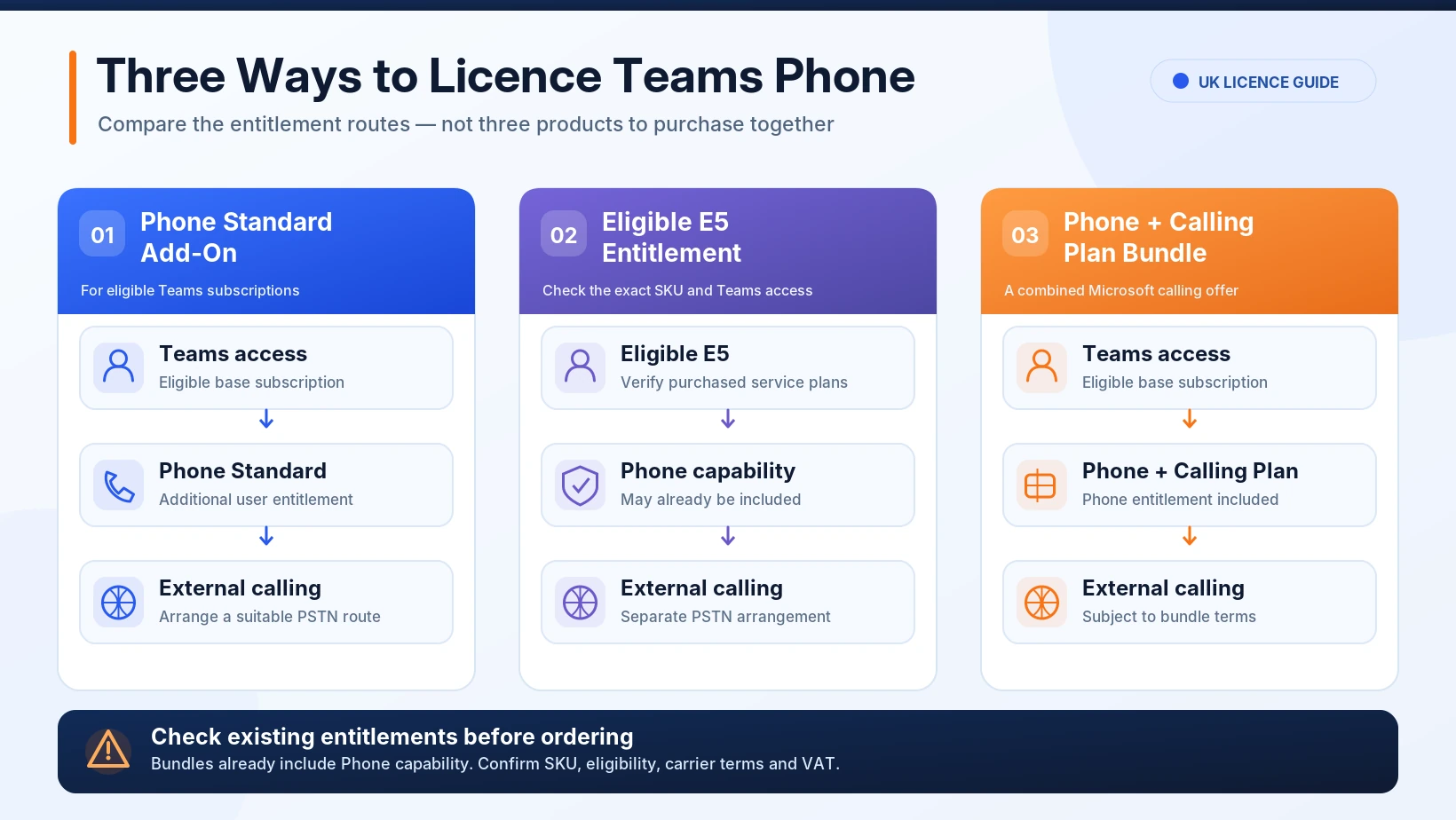
New enterprise purchases can involve separate Microsoft 365 “no Teams” and Teams licences. Legacy tenants may still hold older suites with Teams included. Confirm the exact subscription and service plans in your own tenant before applying a generic E3/E5 checklist.
Which Teams Phone Licence Does Each Employee or Device Need?
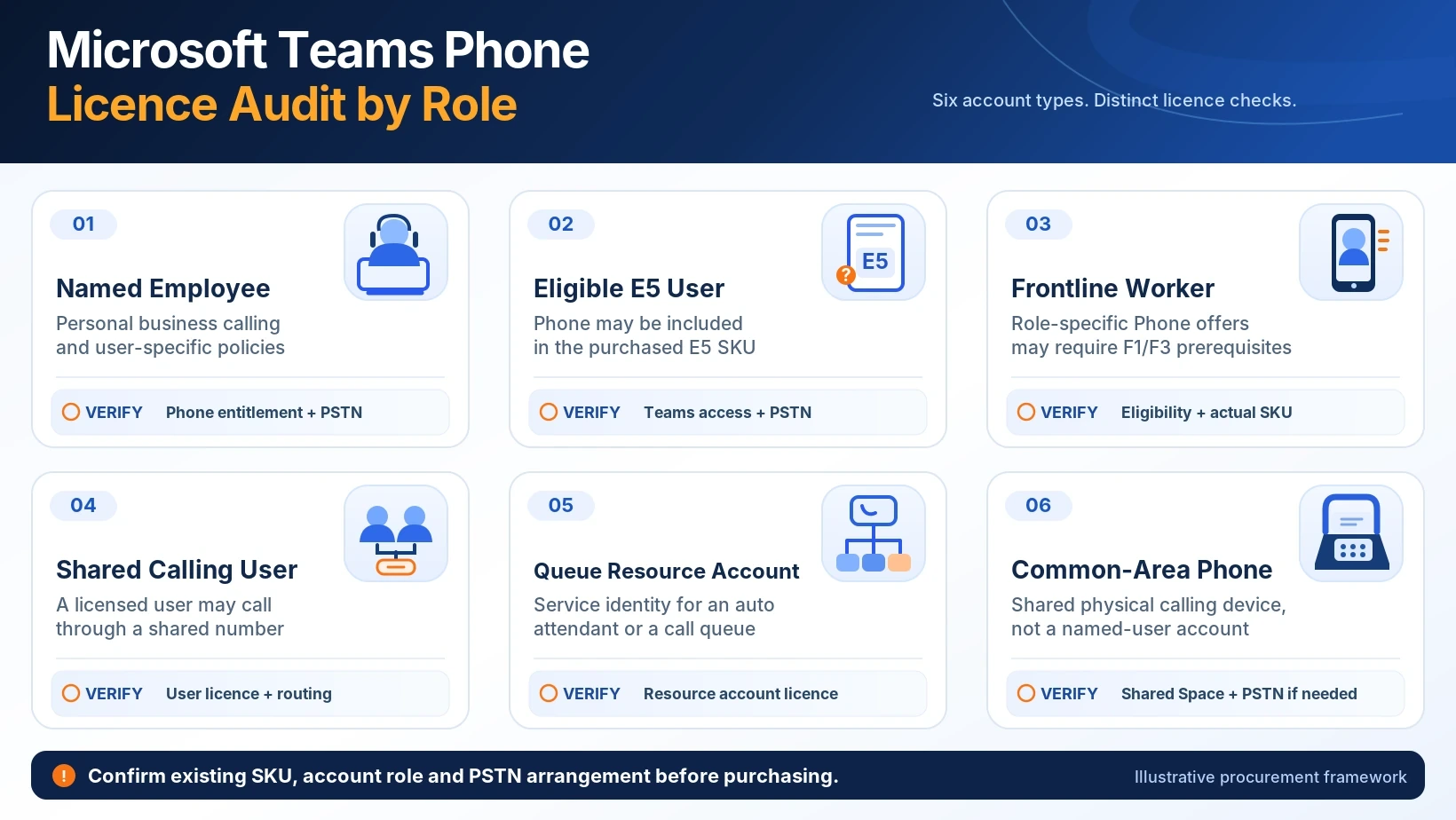
A licence count based only on headcount misses shared devices, service accounts and people who already have eligible E5 entitlements. Map the actual calling role first, then identify the permitted licence route.
| Business role | Likely Teams Phone arrangement | Check before purchasing |
|---|---|---|
| Named office user | Eligible Teams subscription plus Phone Standard and suitable PSTN connection, or a Phone/Calling bundle. | Dedicated number required? E5 inclusion? Microsoft or third-party carrier? |
| Existing eligible E5 user | Teams Phone capability is included with eligible E5 service plans. | Check Teams entitlement and PSTN carrier; do not purchase redundant Phone Standard. |
| Eligible frontline worker | Potential Frontline Worker Teams Phone Standard offer with qualifying F1/F3 prerequisites. | Eligibility rules, actual SKU and purchasing channel. |
| Occasional shared caller | A user may be a Shared Calling candidate without an individual DDI. | They still require eligible Teams Phone entitlement and Shared Calling configuration. |
| Auto attendant or call queue | Dedicated Teams Phone Resource Account licence for the resource account. | Distinguish from personal users; confirm PSTN routing and numbers. |
| Common-area desk phone | Teams Shared Space licence for a qualifying device account. | Compatible device, tenant configuration and optional external calling. |
| Queue supervisor | Base Teams Phone plus possibly Teams Premium for advanced Queues app functions. | Which exact supervision, coaching and reporting features are needed? |
The words resource account appear in several Microsoft documents, but a reception queue and a physical common-area telephone are different deployment patterns. Do not allocate the same SKU to both by default.
For every line in your purchasing worksheet, record the Microsoft account, role, existing entitlement, additional Phone requirement, assigned carrier route and expected monthly cost. Mark any uncertain row “Confirm with Microsoft or CSP” before ordering.
Does Microsoft 365 Business, E3 or E5 Include Teams Phone?
The product family alone is not enough to determine what you already own. Whether Teams is bundled, separately purchased or retained under an older contract affects the complete licence stack.
| Existing subscription | Typical Phone question | What to verify |
|---|---|---|
| Microsoft 365 Business Basic, Standard or Premium | Usually requires an eligible Teams Phone add-on or bundle for telephone PBX functions. | Does this specific SKU include Teams access and qualify for the advertised Phone add-on? |
| Microsoft 365 / Office 365 E1 or E3 | Usually requires Phone Standard or an eligible Phone/Calling bundle. | New enterprise offers may have a separate Teams SKU; check both components. |
| Eligible Microsoft 365 / Office 365 E5 | Teams Phone functionality is normally included. | Does the tenant own Teams access and which PSTN service/number route will be used? |
| F1/F3 | Potential Teams Phone Standard for Frontline Workers offer. | User eligibility, minimum prerequisites and actual feature needs. |
| Teams Essentials or standalone Teams | Phone add-on eligibility depends on the exact identity and Teams offer. | Confirm Microsoft’s current compatible-subscription table before buying. |
Microsoft’s source of truth is its current Teams add-on licensing table. This guide is a buyer-side decision tool, not a substitute for a tenant-specific entitlement inspection.
Even when Phone is included in an eligible E5 subscription, external calling still requires a suitable PSTN connection and numbers. An E5 licence is not a guarantee of inclusive UK calling minutes.
How Much Does Microsoft Teams Phone Licensing Cost in the UK?
Microsoft’s UK Teams Phone product page currently advertises the following standalone and bundled per-user prices. They are listed monthly equivalents on an annual subscription paid yearly, excluding VAT. They do not automatically include the user’s underlying Teams subscription or every deployment cost.
| UK advertised offer | Listed price | What the amount buys |
|---|---|---|
| Teams Phone Standard | £7.70 per user/month | Phone/PBX entitlement; select a PSTN carrier route separately. |
| Teams Phone + Pay-As-You-Go Calling | £9.20 per user/month | Phone entitlement plus Microsoft metered outbound calling; actual call usage is extra. |
| Teams Phone + Domestic Calling | £13.10 per user/month | Phone entitlement plus eligible domestic calling minutes, subject to Microsoft terms. |
| Teams Phone + Domestic and International Calling | £26.10 per user/month | Phone entitlement plus eligible domestic/international calling allowances. |
Prices observed from Microsoft UK public listing on 21 October 2026; VAT excluded; subscription prerequisites, availability, limits and billing terms apply. Verify live prices before purchase.
Review the current Microsoft Teams Phone UK pricing and offer terms. Partner quotes, licence commitments, billing cadence and taxes can differ. It would be misleading to compare a Microsoft “Phone Standard only” price against a fully managed third-party telephone package without adding its carrier and support charges.
The £9.20, £13.10 and £26.10 Microsoft offers already include the underlying Teams Phone Standard entitlement. They are alternatives to the standalone £7.70 line, not prices to add to it.
A Worked Licence-Cost Example for an 18-Person UK Team
This illustrative company has eight people who make regular domestic calls, six occasional callers and four employees using a third-party Operator Connect provider. Assume all 18 have an existing eligible Teams subscription and no included E5 Phone entitlement.
| Role group | Count | Selected Microsoft Phone offer | Microsoft monthly subtotal |
|---|---|---|---|
| Regular UK callers | 8 | Phone + Domestic Calling at £13.10 | £104.80 |
| Occasional callers | 6 | Phone + Pay-As-You-Go at £9.20 | £55.20 |
| Operator Connect users | 4 | Phone Standard at £7.70 | £30.80 |
| Total | 18 | Illustrative Microsoft Phone licence charges | £190.80 |
£190.80 per Month, or £2,289.60 per Year
This adds the Microsoft Phone licence charges only, using the advertised annual-payment prices. It excludes the 18 underlying Teams licences, metered outgoing calls on the Pay-As-You-Go offer, Operator Connect carrier charges, any number/service fees, implementation, support and VAT. The actual best combination depends on usage and licence eligibility.
Do not use this example as an offer or price quote. Its purpose is to illustrate how to avoid pricing every user identically when calling responsibilities differ. If a user already has eligible E5 Phone entitlement, replace that row with the applicable incremental cost rather than buying an unnecessary Phone Standard add-on.
What Else Must You Pay for External Calls?
For external numbers, licensing is only part of the bill. The carrier model determines which company supplies the calling service and what usage, porting, emergency-service arrangements and support are included.
| Connection choice | Phone licence treatment | Additional commercial checks |
|---|---|---|
| Microsoft Calling Plan | Phone entitlement included in advertised bundles, or purchased separately with a Calling Plan. | Included minutes, excess/minute rates, number types, porting, credits and country eligibility. |
| Operator Connect | Eligible Teams Phone entitlement remains necessary. | Operator plan cost, inclusive minutes, number rental, support and portability. |
| Direct Routing | Eligible Teams Phone entitlement remains necessary. | Carrier SIP charges, SBC operation, management, redundancy and specialist support. |
| Teams Phone Mobile | Eligible Teams Phone entitlement remains necessary. | Participating carrier’s SIM-enabled plan, supported mobile numbers and number eligibility. |
| Shared Calling | Licensed callers share a configured outbound identity; not a substitute for Phone licensing. | Resource account, PSTN connectivity, calling policy and minutes/usage. |
To understand how those licence and carrier costs fit into a complete UK calling setup—including PSTN connectivity, number assignment, call routing, devices and migration—read our Microsoft Teams Phone system guide. This page focuses on licence entitlements and the charges to check before buying.
The main guide to selecting a UK business VoIP provider helps compare complete services. This licensing page deliberately does not repeat the detailed Operator Connect versus Direct Routing infrastructure assessment reserved for the separate planned comparison.
How Are Auto Attendants and Call Queues Licensed?
A business may have one main published number answered by an auto attendant, which then sends calls to a reception team or call queue. Microsoft uses resource accounts to identify these voice applications. A resource account is not the same as an employee who answers calls.
Microsoft states that each relevant auto attendant or call queue resource account requires a Microsoft Teams Phone Resource Account licence. The entitlement has no acquisition charge, but it still needs to be obtained and assigned. A separate Phone Standard user licence should not be used as a substitute on that resource account.
| Account | Primary role | Typical licence check |
|---|---|---|
| Person answering queue calls | Actual employee using Teams Phone | Eligible Teams Phone user entitlement and any needed PSTN rules. |
| Auto attendant service account | Service identity for the virtual receptionist | Teams Phone Resource Account; additional PSTN terms if used for external outbound calls. |
| Call queue service account | Service identity for the queue | Teams Phone Resource Account and correct configured route. |
| Lobby or common-area desk phone | Physical shared telephone | Teams Shared Space device licensing rather than a queue resource licence. |
For service-account details see Microsoft Teams Phone Resource Account licensing. Incorrectly replacing a licence on an active resource account can interrupt the voice application; changes require proper change control.
Microsoft Teams Phone Licence Audit: Pass, Clarify or Hold
Before ordering licences, create one row per user role and service/device account. The outcome must be traceable to a tenant entitlement and the chosen calling arrangement; a single global seat count is not enough.
| Audit field | What to record | Accept / investigate |
|---|---|---|
| 1. Account type | Named employee, E5 user, frontline worker, queue resource or shared device. | Accept: role and identity documented. |
| 2. Existing SKU | Exact Microsoft 365, Office 365 or Teams plan and relevant service plans. | Investigate: unclear E5 inclusion or Teams access. |
| 3. Phone requirement | Phone Standard, included Phone, qualified Frontline, Resource Account or Shared Space. | Hold: unverified licence eligibility. |
| 4. Number identity | Personal DDI, Shared Calling, queue/main line or shared-device number. | Investigate: incorrect number expectation. |
| 5. PSTN arrangement | Calling Plan, Operator Connect, Direct Routing or mobile operator. | Hold: no compatible external route. |
| 6. Calling usage | Likely domestic/international minutes and known peak use. | Investigate: no usage assumptions or excess-rate data. |
| 7. Total charge | Teams base, Phone increment, carrier, usage, devices, support and VAT. | Accept: quoted on comparable terms. |
| 8. Owner and evidence | Admin/licensing owner, carrier owner and written quote/version. | Hold: no named approval or missing evidence. |
These checkboxes work in the browser but do not submit or store personal licence data. For a formal audit, copy the fields into your own approved internal procurement system.
Why Can a Correct Licence Still Leave the Teams Dial Pad Missing?
A valid subscription is necessary but not sufficient for live business calling. Users may also require voice enablement, an assigned number or Shared Calling configuration, a suitable voice routing policy and the right operator setup. A new Calling Plan assignment can take time to appear in the Teams client.
Microsoft documents that it can take up to 24 hours for a dial pad to appear after certain Calling Plan assignments. Before assuming a purchase has failed, ask your Teams administrator to check licence assignment, enterprise voice enablement, tenant mode, number assignment, relevant policies and the carrier’s provisioning status.
Do not remove an active E3/Phone add-on, E5 licence or queue-resource licence until the replacement entitlement has been assigned and validated. Plan any changes with a rollback path and a named administrator; inappropriate licence changes can interrupt live routes.
For administrative steps use Microsoft’s Teams add-on licence assignment guidance. This page is a procurement guide, not a script for making high-risk tenant changes.
Questions to Ask Microsoft, Your CSP or UK Telecoms Provider
- Which exact Microsoft/Teams/Phone SKUs are required for each user class, and which are already owned?
- Does the advertised offer include Phone Standard, or is it a standalone Phone add-on?
- Who supplies the external UK calling service, number rental and porting?
- Which users need a personal number, and could Shared Calling be an appropriate alternative?
- How are auto-attendant and queue resource accounts licensed?
- Which common-area devices need Teams Shared Space, and are they supported?
- Are premium queue supervision features actually required, and who needs Teams Premium?
- Which UK tariffs, minimum commitments, excess rates, international rates and VAT apply?
- Who administers Microsoft licensing, tenant voice policies, carrier changes and break-fix support?
- Has the licensing configuration been checked before the cutover of existing numbers?
For the larger telephone-system architecture, read the general UK VoIP Buyer’s Guide. If your team is evaluating Teams against another phone platform, the Microsoft Teams Phone vs RingCentral comparison serves a separate buying decision.
Frequently Asked Questions About Microsoft Teams Phone Licensing
Is Microsoft Teams Phone Included in Microsoft 365 Business Premium?
Microsoft 365 Business Premium provides an eligible base for Teams Phone, but Phone capability normally needs a suitable add-on or bundle. Check the exact Teams entitlement and purchased SKUs in your tenant.
Does Microsoft 365 E5 Include Teams Phone?
Eligible E5 offers include Teams Phone functionality. Depending on the E5 SKU, Teams collaboration access may be separately licensed. You still need a suitable PSTN service for ordinary external numbers.
Does Teams Phone Standard Include a UK Calling Plan?
No. Teams Phone Standard provides phone-system capability, while an external carrier route is a separate requirement. Microsoft also sells combined Phone and Calling Plan bundles.
Do I Pay for Teams Phone Standard Again with a Calling Plan Bundle?
No. Microsoft’s Teams Phone with Calling Plan bundles include the Phone Standard entitlement. Check the offer wording to avoid duplicate charges.
Can Users Have Teams Phone Without a Personal DDI?
In supported Shared Calling deployments, users can make or receive external calls through a configured shared service number. Each relevant user still needs appropriate Teams Phone entitlement.
Are Call Queue Resource Account Licences Free?
Microsoft currently states that the Teams Phone Resource Account entitlement has no acquisition charge, but a licence must still be acquired and assigned. Other voice or carrier charges may apply.
Is Teams Shared Space the Same as a Call Queue Resource Account?
No. Teams Shared Space licenses eligible physical devices and spaces, including common-area Teams phones. Teams Phone Resource Accounts identify voice applications such as auto attendants and queues.
Does Everyone in a Call Queue Need Teams Premium?
Not simply because the organisation uses a call queue. Teams Premium is associated with advanced Queues app capabilities. Check the exact role and feature entitlement before purchasing.
Do I Need a Calling Plan with Operator Connect?
Typically you use a supported operator’s PSTN service alongside eligible Teams Phone entitlement, not a Microsoft Calling Plan for the same purpose. Confirm the operator’s contractual requirements.
Does Audio Conferencing Licence Give Me Business Phone Calling?
No. Meeting dial-in through Audio Conferencing is a different licensing function from Teams Phone business PBX calling to and from external telephone numbers.
Official Sources and Editorial Methodology
We have used Microsoft’s published UK pricing and licensing documentation rather than claiming to have accessed a customer tenant or conducted provider tests. Microsoft prices and licence names can change; verify the live SKU and commercial terms before relying on a quote.
- Microsoft — Teams Phone UK offers and pricing
- Microsoft Learn — Teams add-on licence matrix
- Microsoft Learn — Teams Phone deployment prerequisites
- Microsoft Learn — Teams Phone Resource Accounts
- Microsoft Learn — Teams Shared Space
- Microsoft Learn — Calling Plan models
- Microsoft Learn — Teams Premium and Queues app features
- Microsoft Learn — Assigning and changing add-on licences
Editorial source check: 21 October 2026. This guide is independent informational research, not an entitlement audit of your Microsoft tenant or a guarantee of feature and pricing availability.
Teams Phone Licence Audit
Check Every Teams Phone Licence Before You Buy
Use the role-based licence audit to prevent duplicate Phone charges, classify queue and shared-device accounts, and include carrier charges. Then compare UK phone-system quotes on an equivalent basis.

Bhav Giva
Founder & Lead Analyst at CompareVoIPService.co.ukBhav Giva publishes UK-focused business communications research and practical VoIP guidance. This independent guide examines UK Teams Phone entitlements, E5 and Calling Plan costs, shared device licences and purchasing checks using current Microsoft documentation, without claiming tenant-level testing.